

Features
From first inquiry to confirmed booking
Everything happens on one screen: match by skill and location, contact, schedule, price travel. No spreadsheets, no tab-juggling, no guesswork.
Smart matching & conflict radar
Match the right person, fast
Filter your roster by what the job needs: skill, availability, location, travel. Logidex brings the best matches to the top, and a live conflict radar keeps you from booking someone who can't actually make it.
- Filter and rank your candidate list by what matters to you: skill, rating, availability, location, and travel
- Drag-and-drop staffing whiteboard: suggest a full lineup, or step through matches one at a time
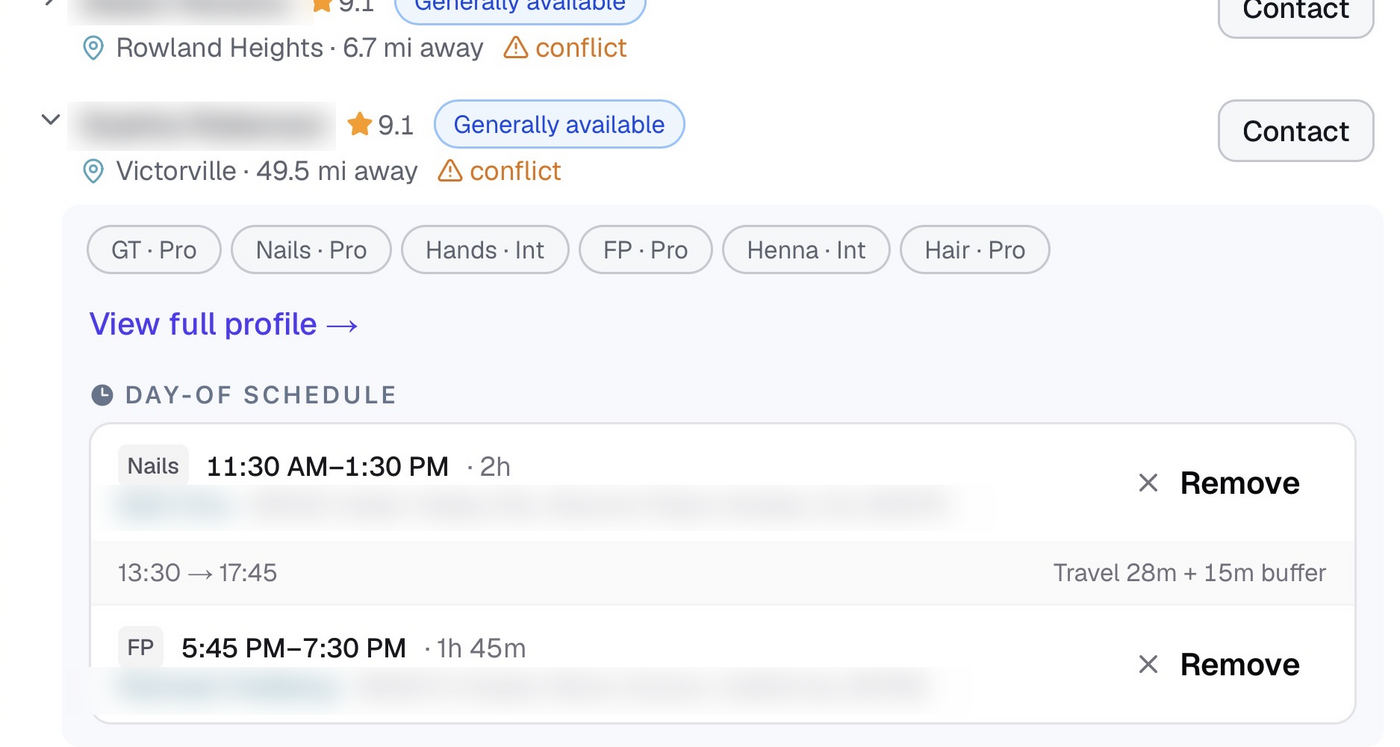
- Conflict radar flags true double-bookings and too-tight turnarounds, color-coded so you catch them at a glance
- It counts the drive time between jobs, so an assistant who doesn't know the area won't book someone who can't get across town in time
- Per-person summaries show each candidate's availability and travel conditions, so you can override with the full picture
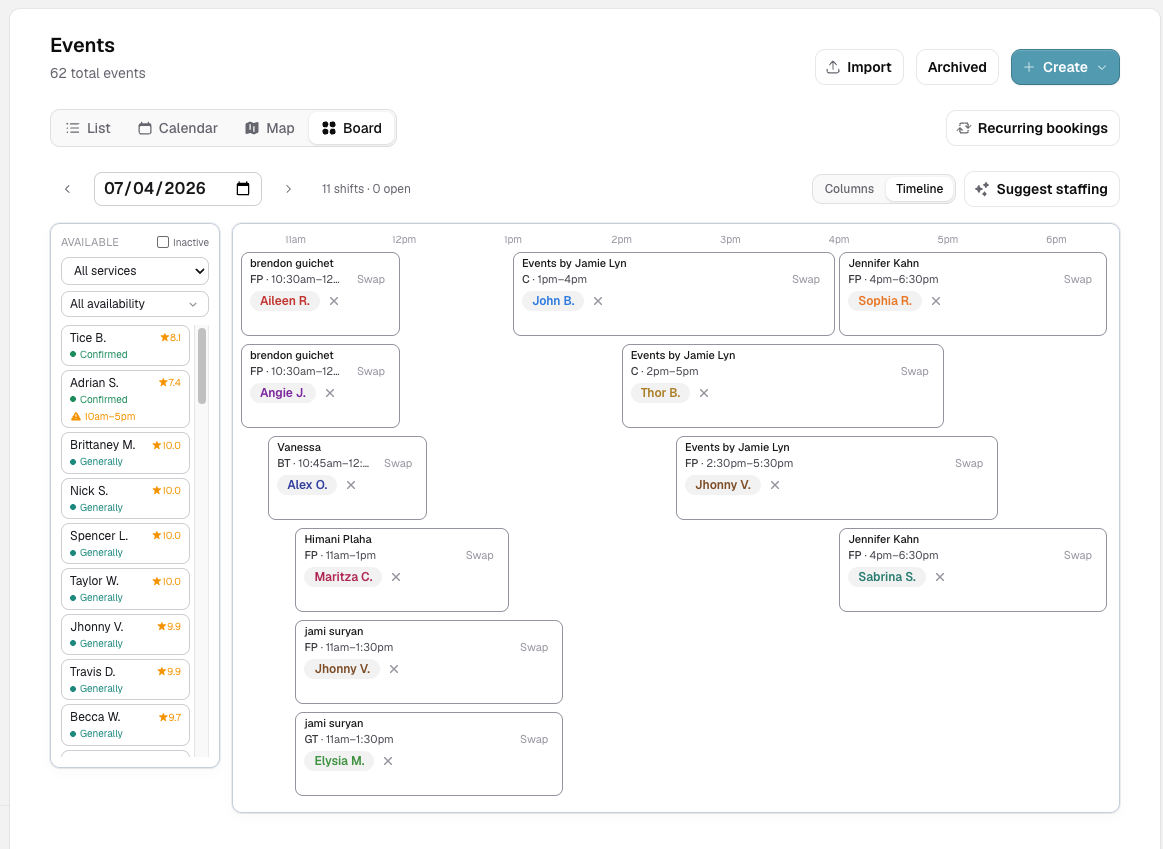
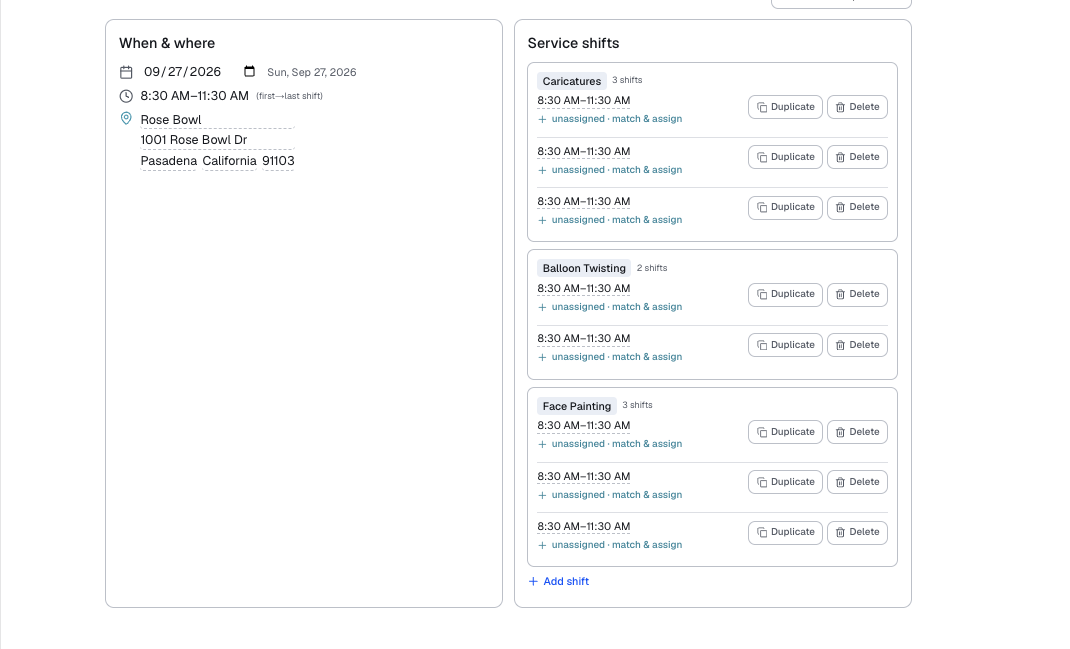
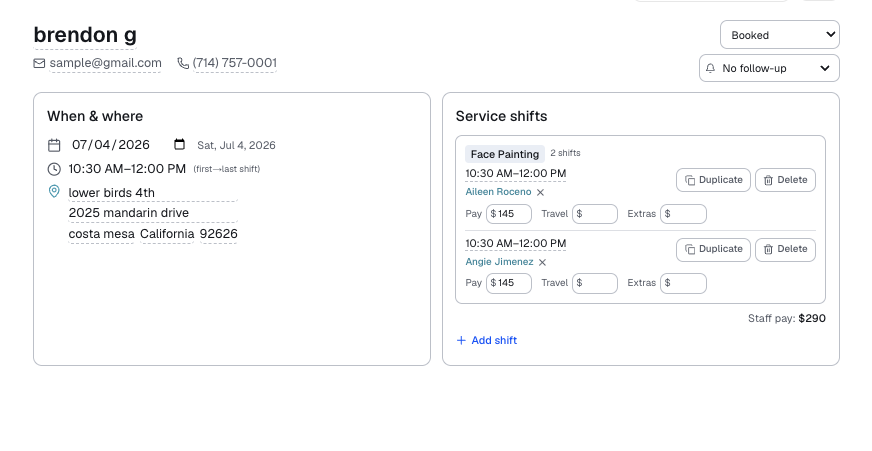
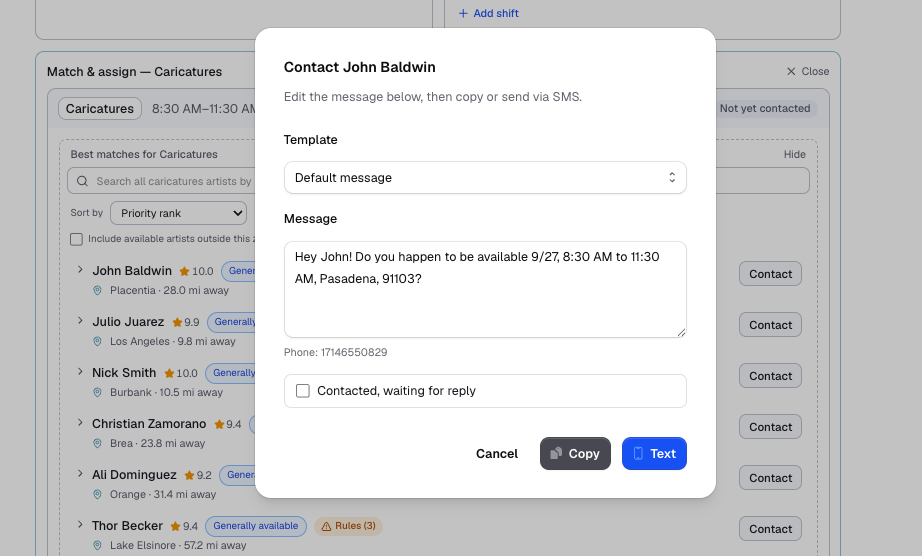 Staffing whiteboard
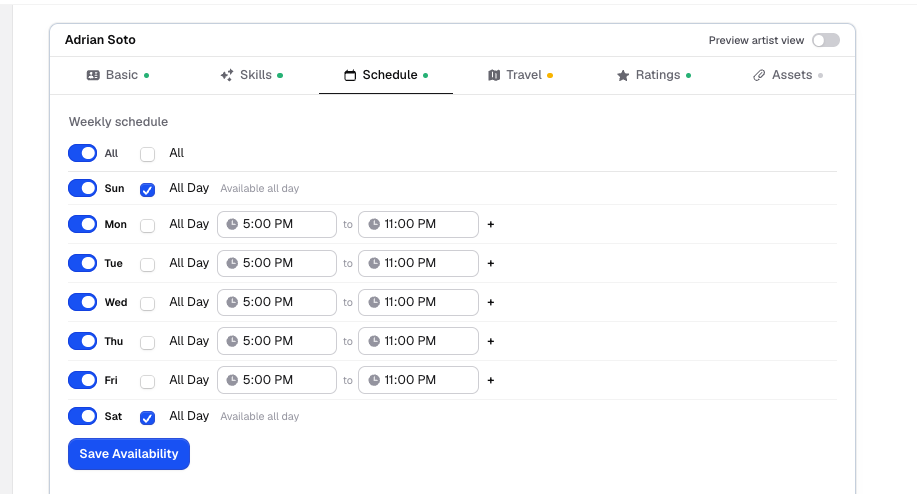
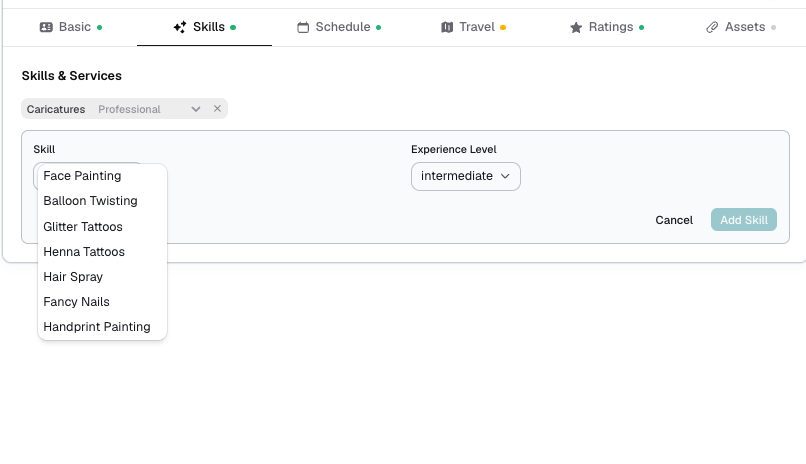
One profile per person: skills, availability, and exactly how far each person will travel. Your staff keep it current from a self-service portal, with your approval on the edits that matter.
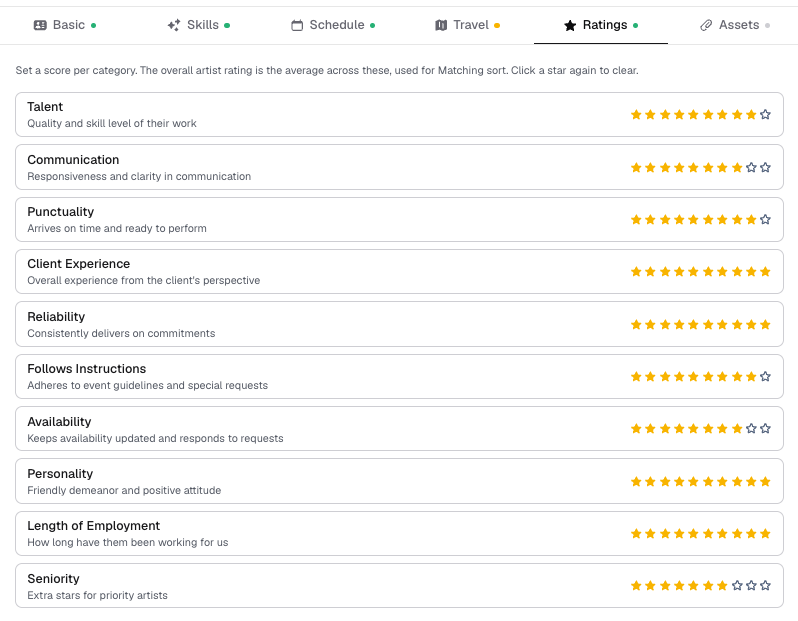
- Rich profiles: skills, ratings, notes, and rates where they apply
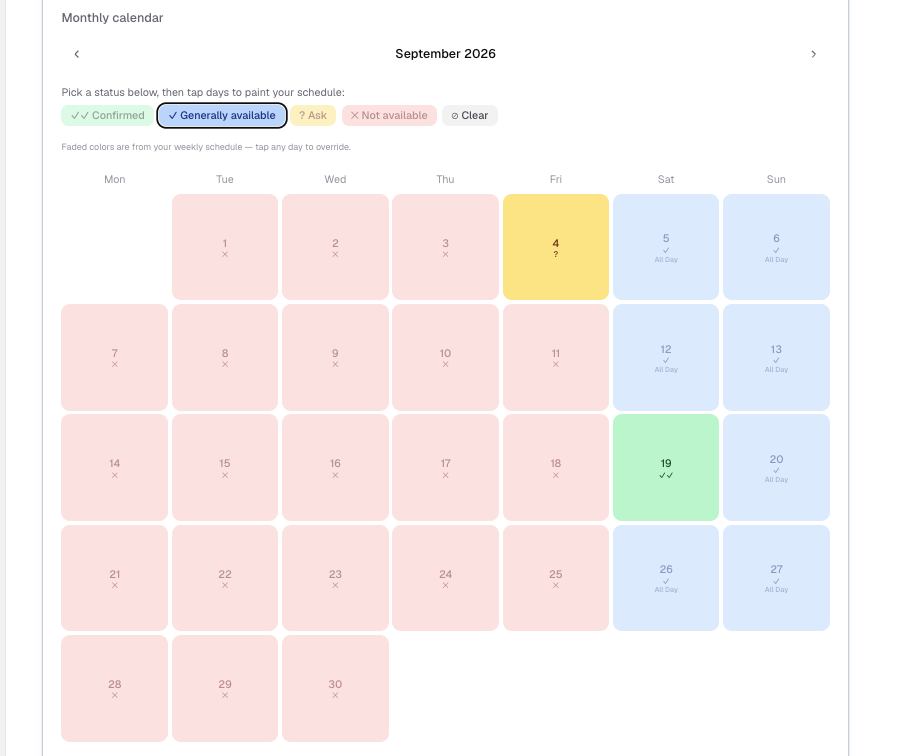
- Weekly schedules plus per-date availability overrides
- Per-person travel radius and conditions: where they'll go, where they won't, and where they'll flex when it's close
- Self-service portal that opens in any phone browser, no app to download, with admin approval guarding sensitive edits
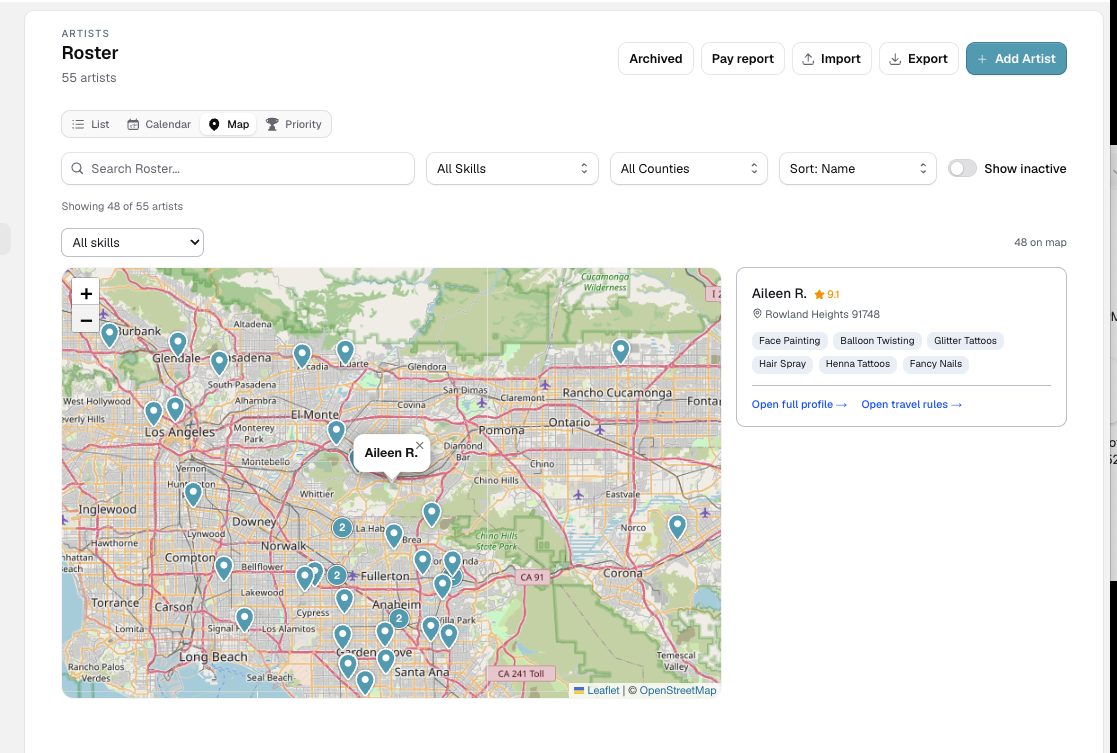
 Map view
Bookings & location view
Run every booking in one place
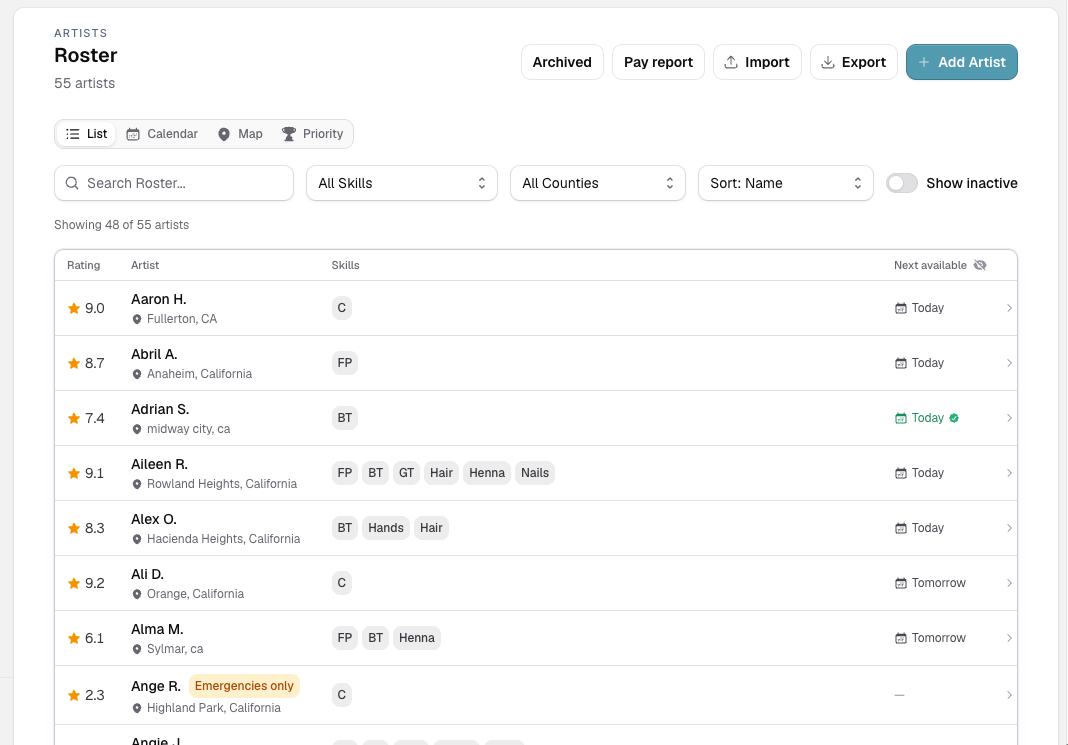
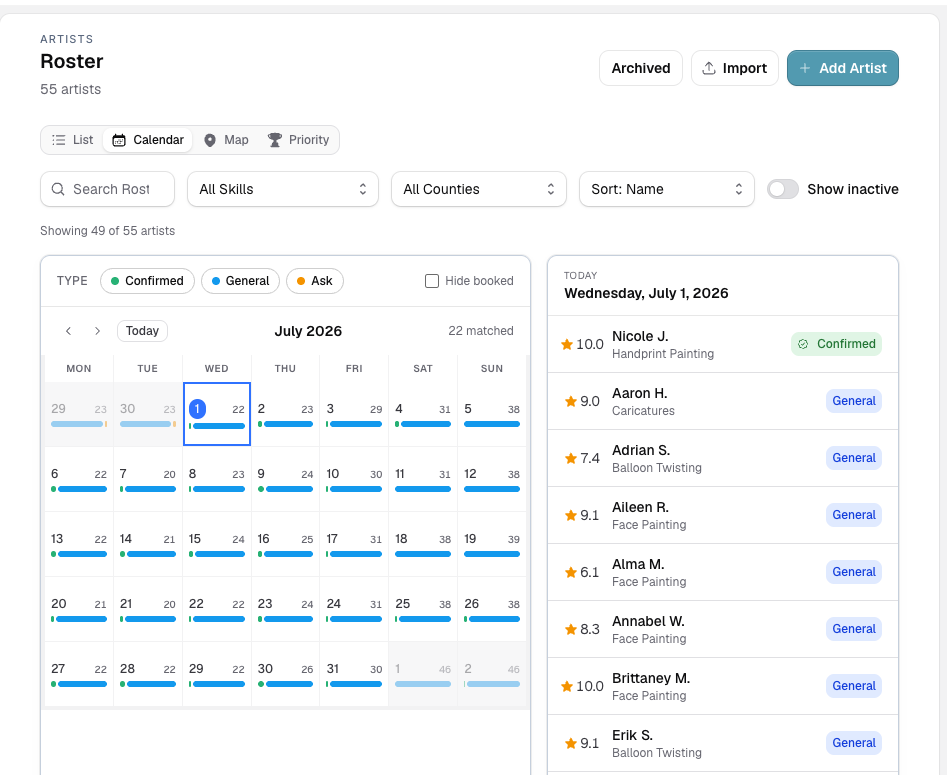
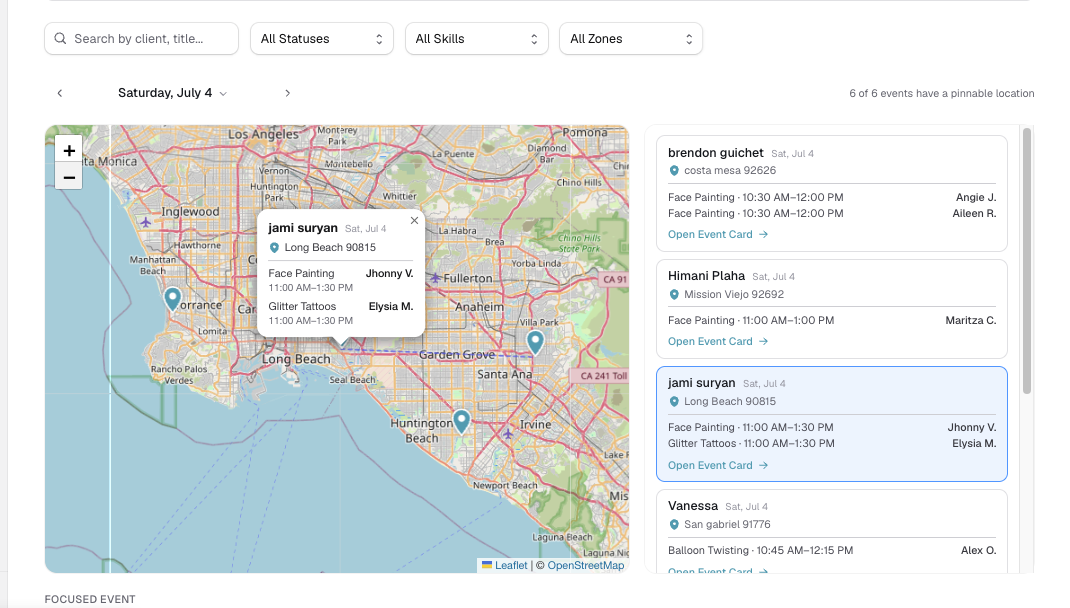
See work as a list, calendar or board, or as a live map of the whole day with the drive time between each job. Capture new requests automatically, and reach out without leaving the platform.
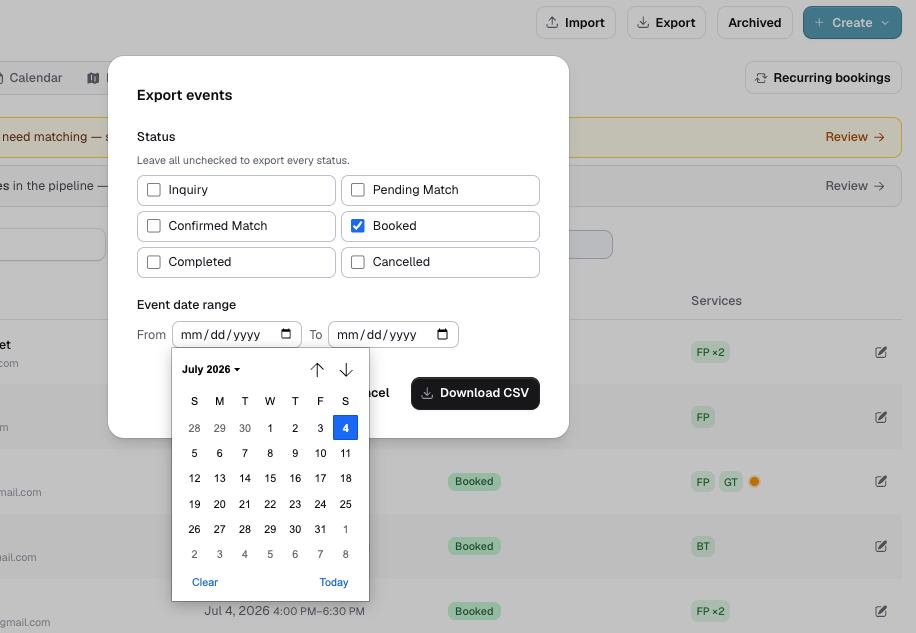
- List, calendar, map, and board views of your bookings
- Recurring bookings, one-click duplication, and archiving
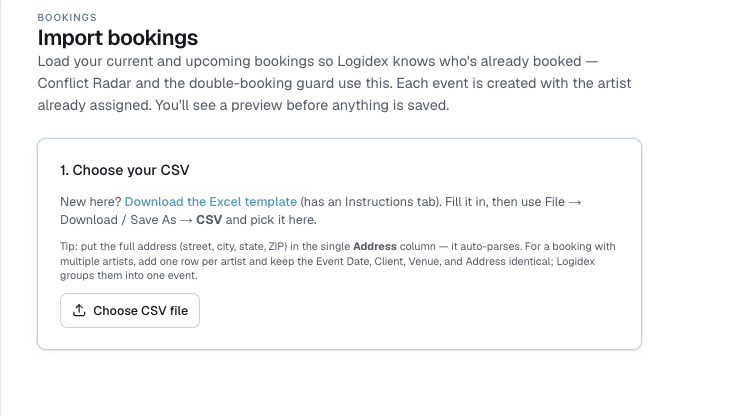
- Public intake form + webhook to capture new requests
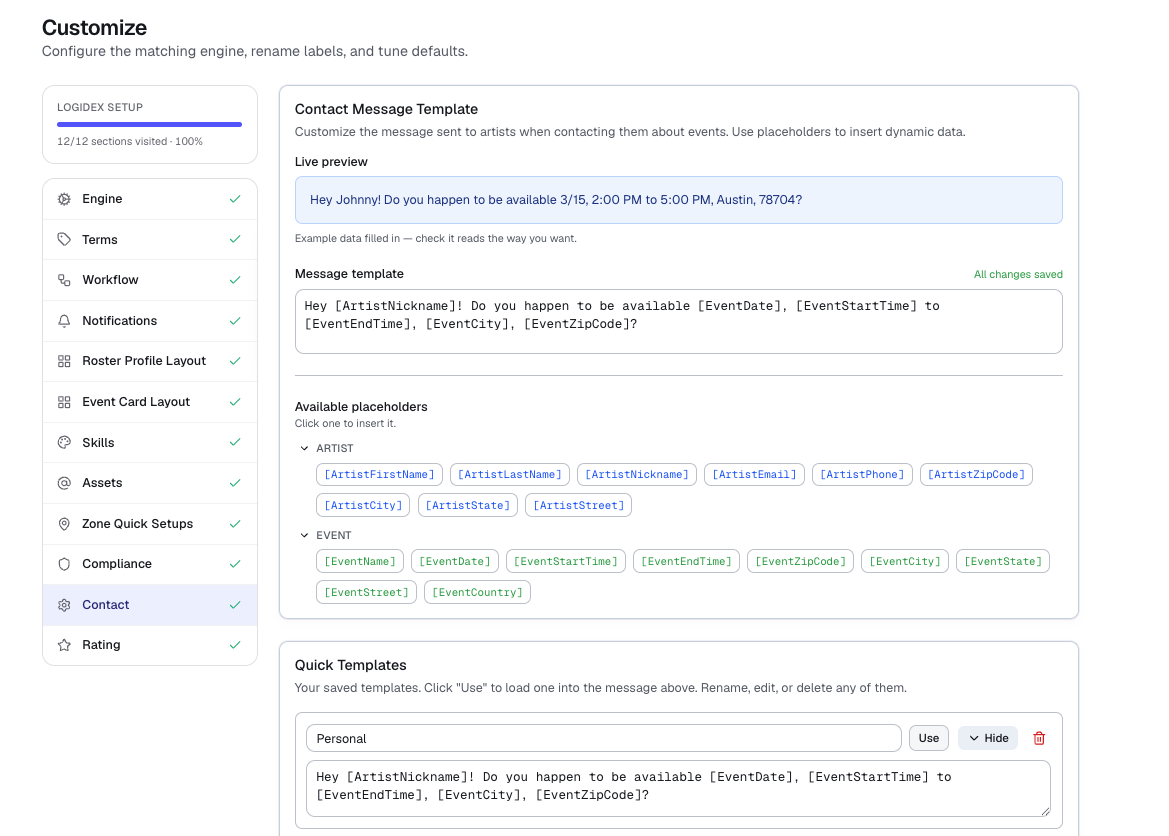
- Templated outreach with one-tap Text and reply tracking
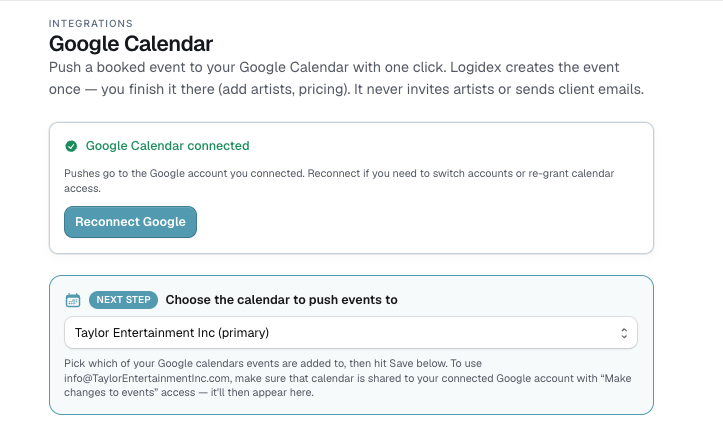
- Push booked work to Google Calendar, and client info to Square for invoicing
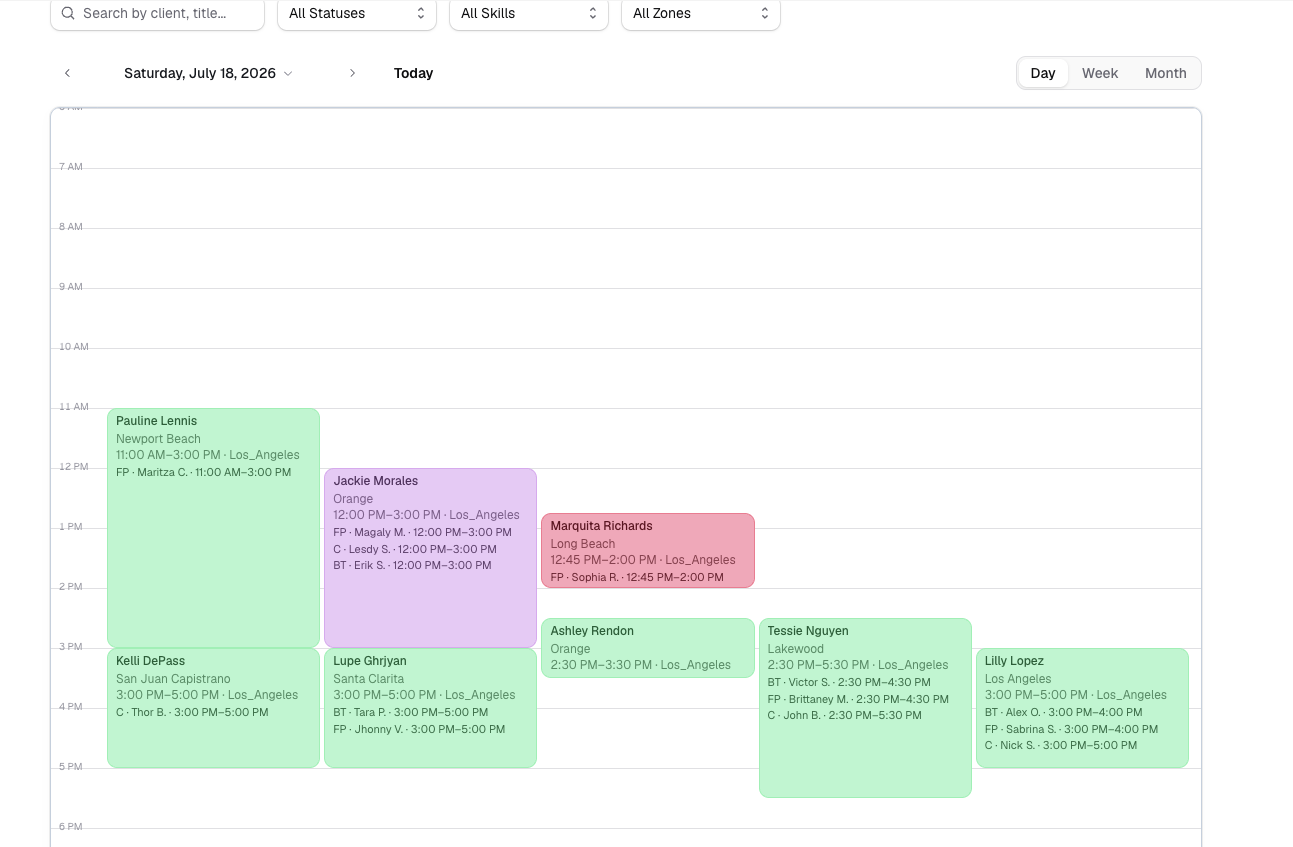
 Calendar view
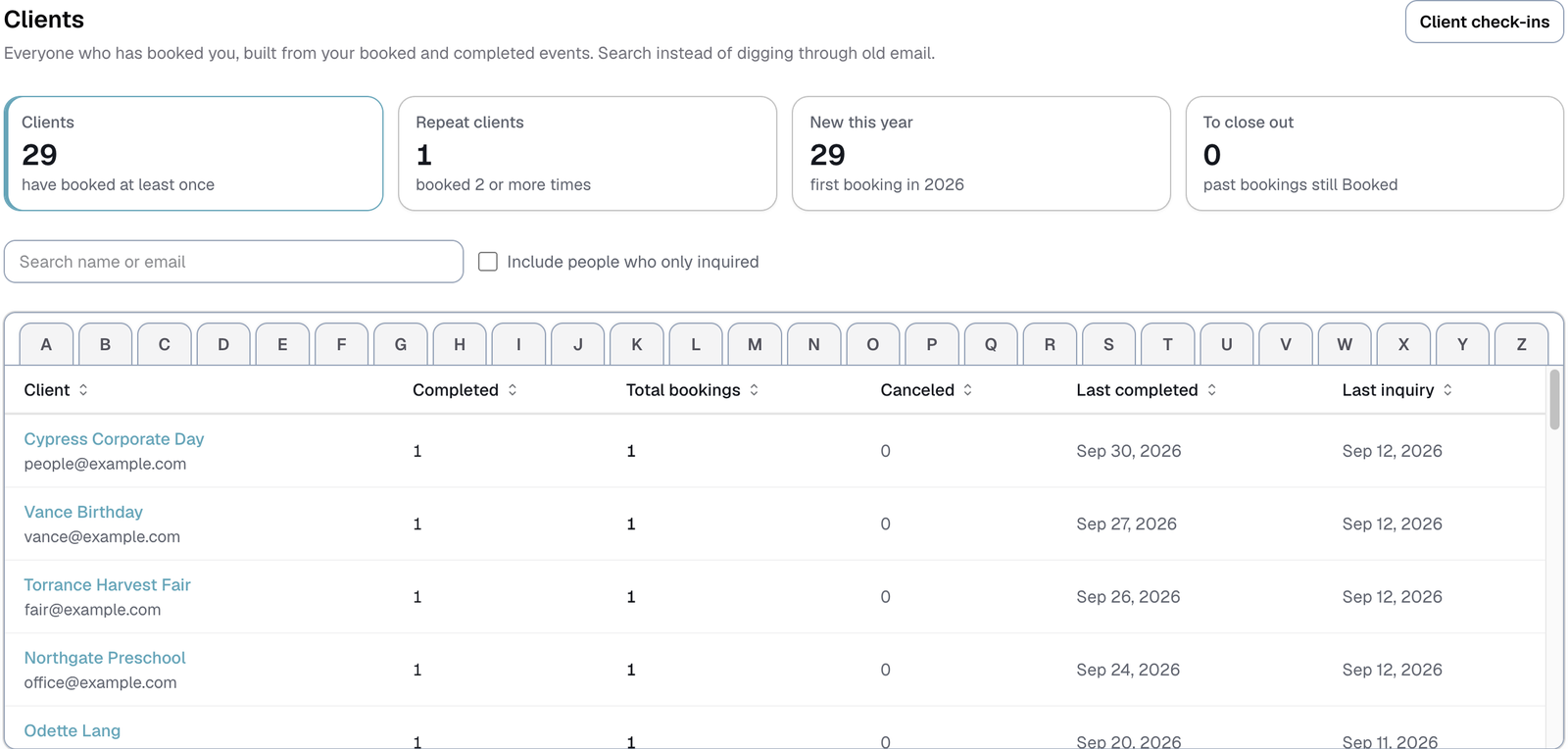
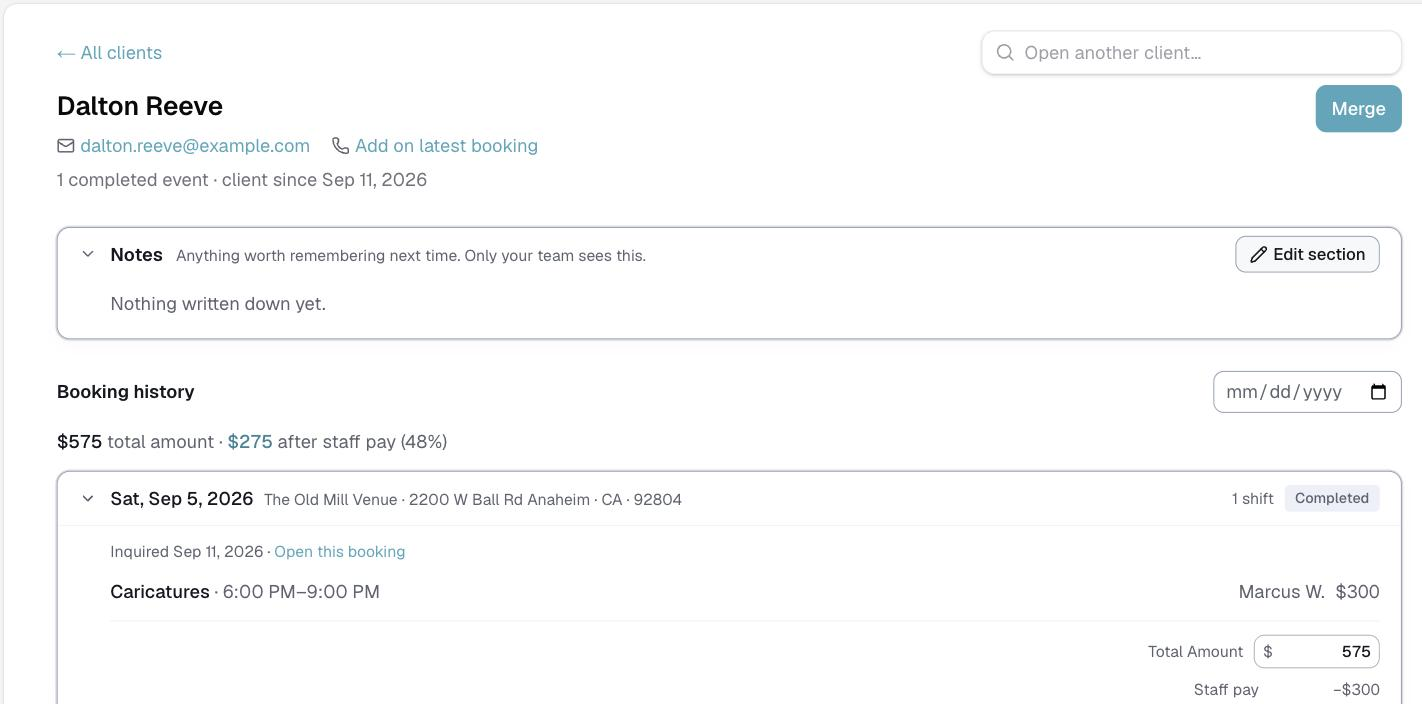
Once work is completed it files itself under the client. Search three years back in a second instead of going through old email, and get told when someone's about due to book again.
- A page per client: contact details, every booking, who worked each shift and what they were paid
- Search by name, email or phone — no more scrolling your inbox
- Rebooking reminders timed to when they last inquired, not when the event was
- Notes, your own fields, and a place to keep what you charged next to the booking it belongs to
- Logidex tells you it's a good moment to reach out. It never emails your clients for you
 Client list
Money & margins
See what the work actually made you
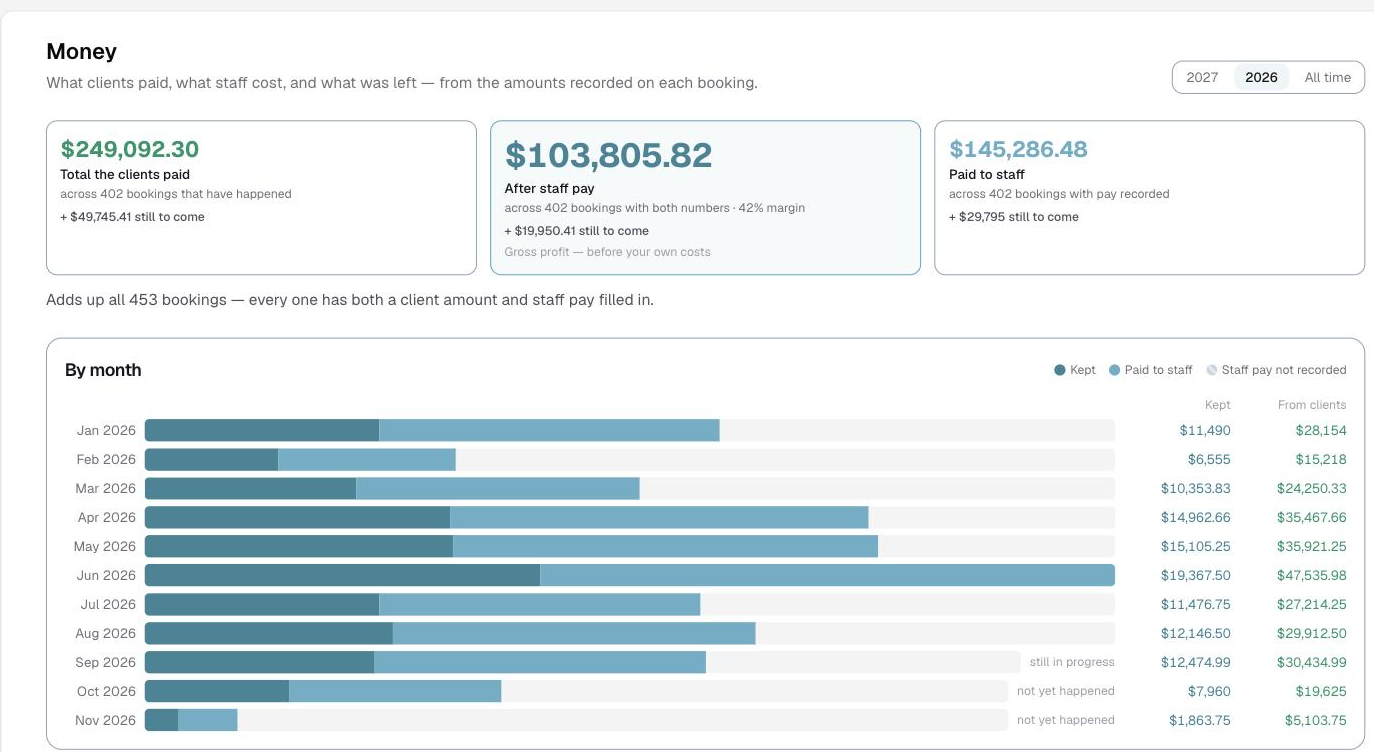
Every booking already carries what the client paid and what the staff on it were paid. Logidex adds them up — by month, by year, across the whole roster — so you can see what you kept without building a spreadsheet for it.
- What clients paid, what staff cost, and what was left — from the amounts already on each booking
- Month-by-month bars that separate what you kept from what went out to staff
- Still-to-come totals for work that is booked but has not happened yet
- A pay report per person for the year, ready for whoever does your 1099s
- It shows nothing rather than a wrong number — a booking missing either figure is left out instead of counted as zero
 Money
MoneyTravel & zones
Travel, on their terms
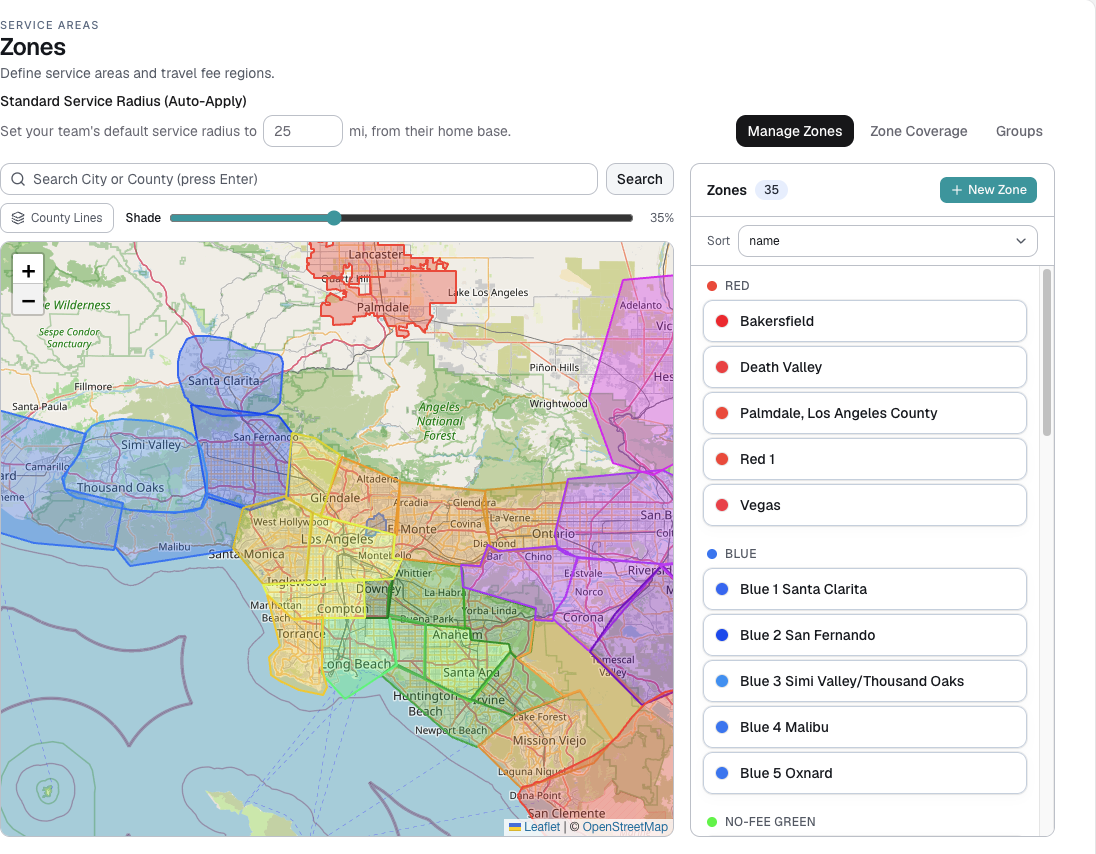
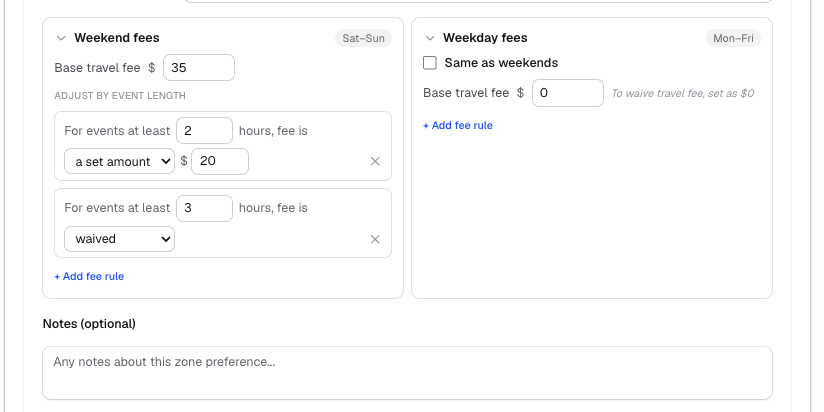
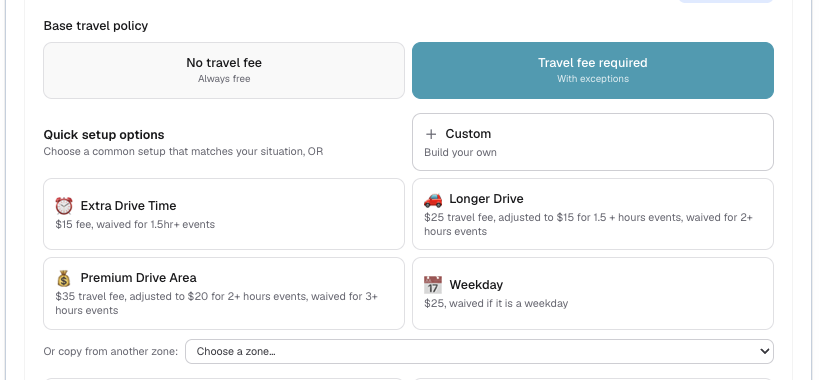
A travel fee isn't a markup you add. It's the incentive a contractor needs to make a longer trip worth it. Logidex maps your service areas and captures who needs a fee for where, so you know the real terms before you quote the client.
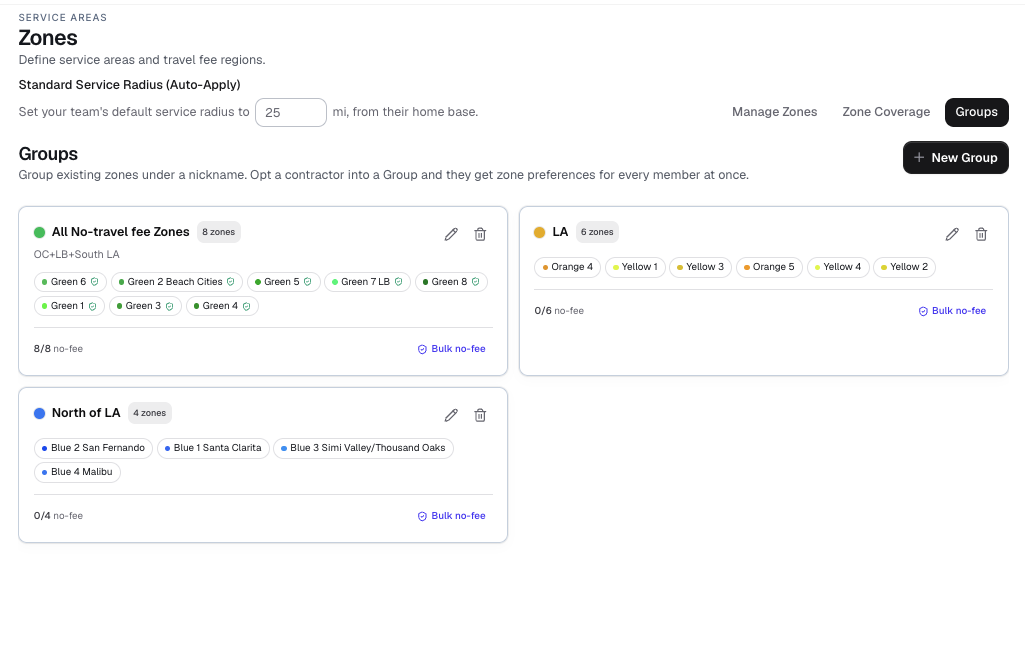
- Draw or import your service areas on a map, and group them into larger regions
- Each contractor sets which areas they'll cover, and which need a travel fee to be worth the trip
- Duration conditions can reduce or waive that fee for longer jobs
- See each person's travel terms up front when you staff a job
 Zones
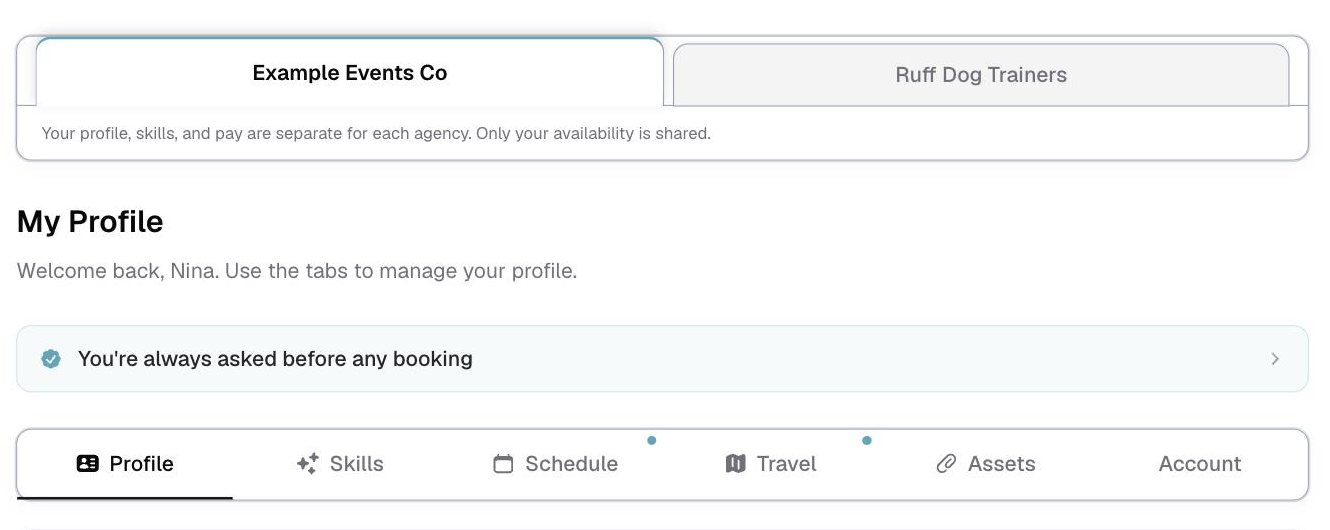
ZonesEveryone on your roster gets their own login that opens in any phone browser — nothing to download. They set the days they can work, the areas they will travel to and on what terms, and what they do. You keep approval over the edits that matter.
- Opens in any phone browser, and can be added to a home screen like an app
- They set their usual week once, then only change the days that are different
- They choose the areas they will travel to, with their own fee or condition on each
- Their own booking history, hours and pay for the year, in their hands instead of yours
- Sensitive edits still come to you for approval
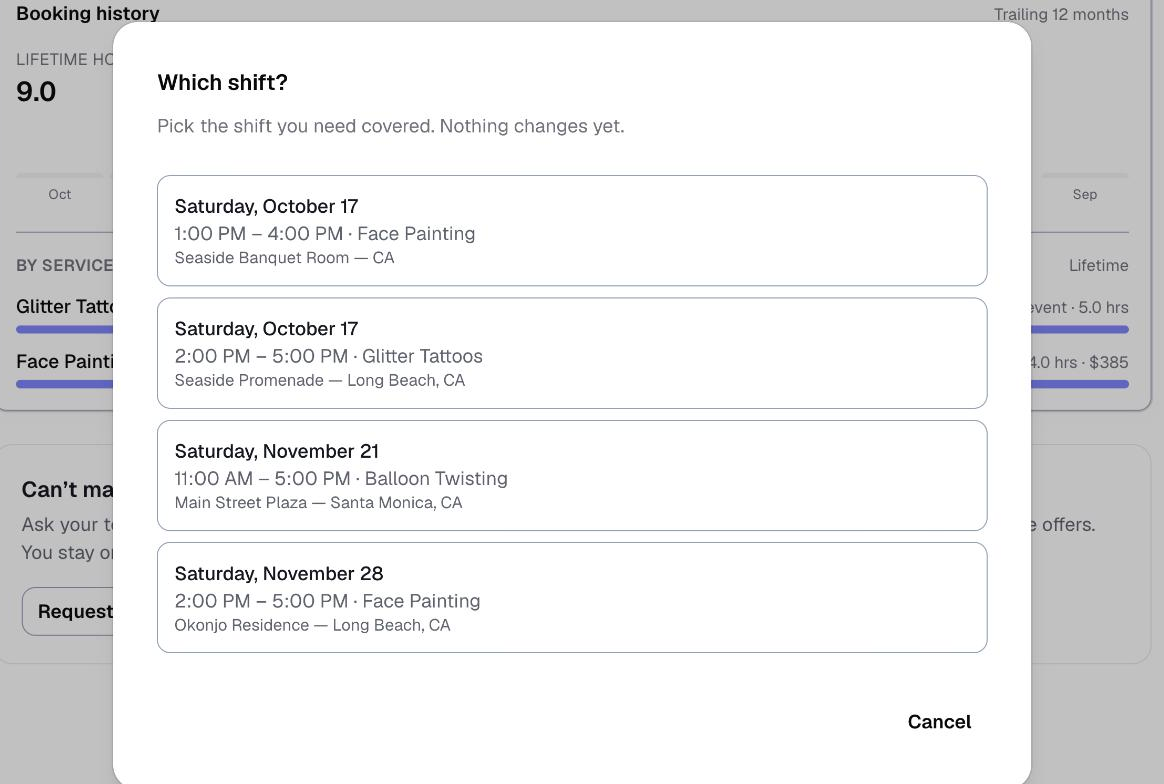
Emergency coverage
When someone can't make it, the ask goes out for you
An artist who can't work a shift asks from their own portal. Logidex emails only the people who could actually work it, collects who says yes, and leaves the decision with you. Nobody is moved on or off a shift until you assign them.
- Only the people who can actually work it are asked — right skill, free that day, able to make the drive
- You are told the moment someone asks, and can cancel it before it goes out
- Choose a wait time, send immediately, or hold every ask until you press send
- A shift starting very soon shortens the wait on its own, and the email says LAST MINUTE so you spot it
- The person who asked stays on the shift until a cover is confirmed
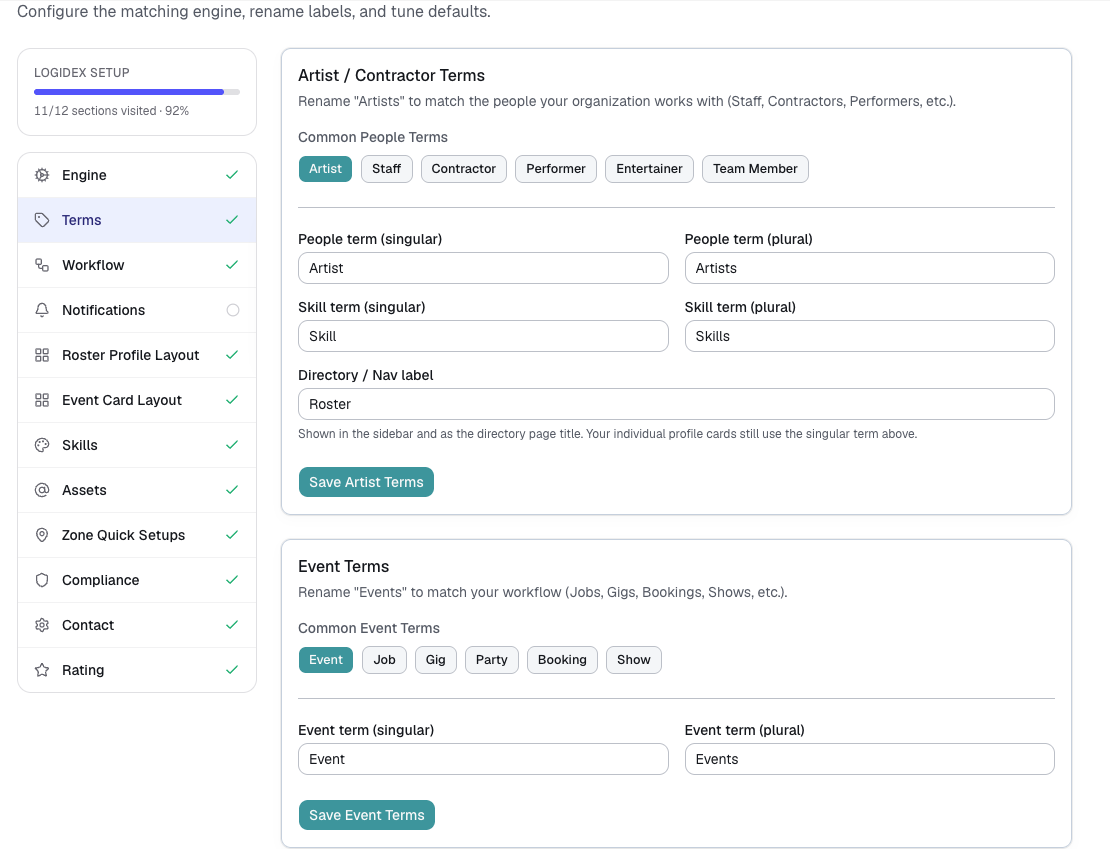
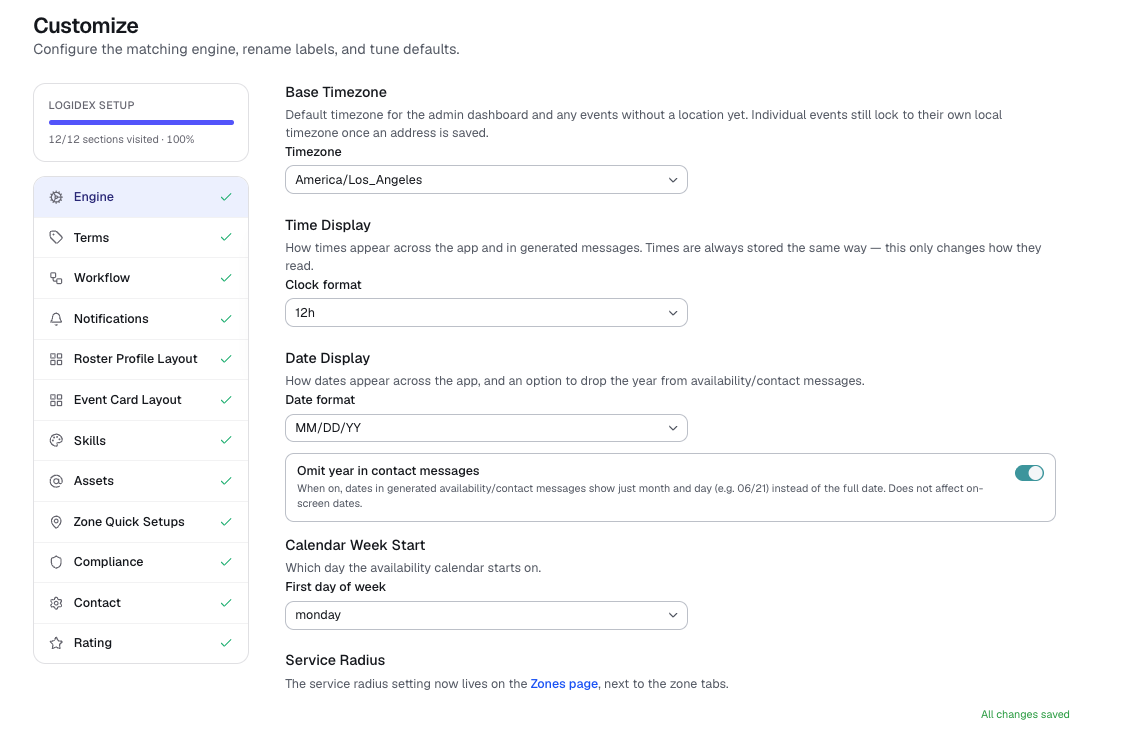
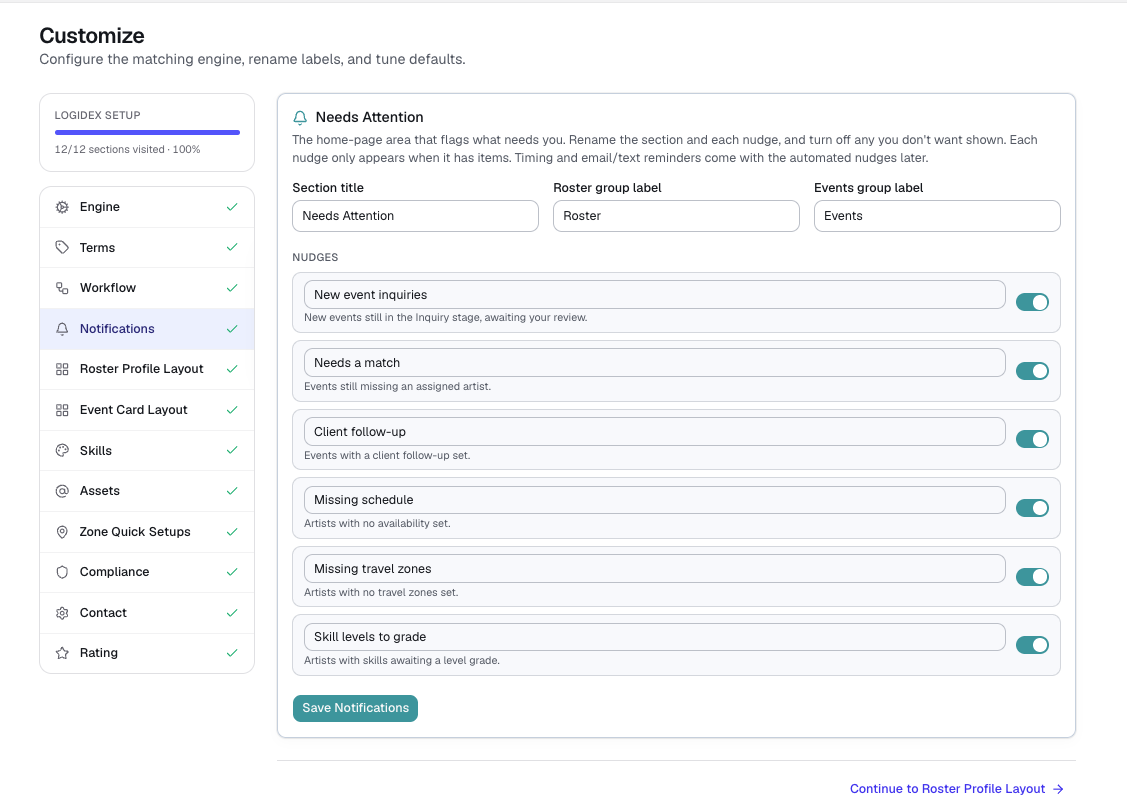
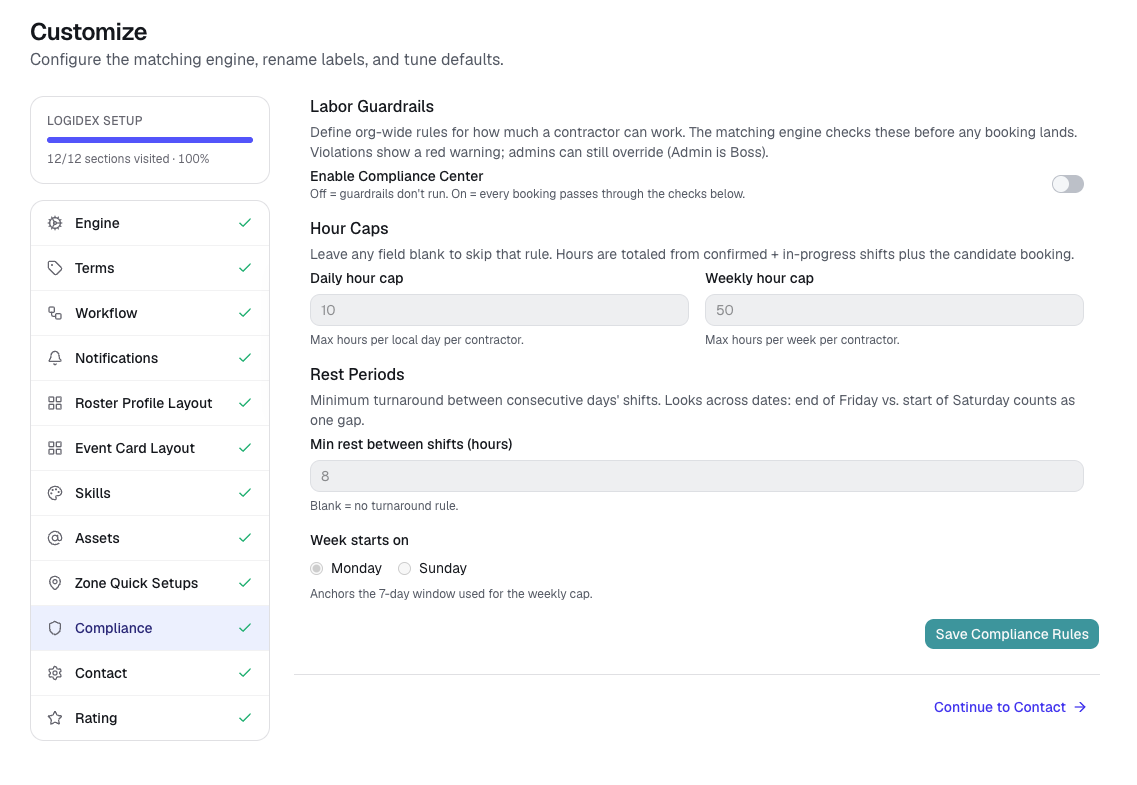
Rename anything, shape your own workflow, and put your business name on what your clients and staff see. The platform speaks your language — not ours.
- Rename any label: "Artist" → "Vendor", "Event" → "Job"
- Custom statuses, skills, and rating categories
- Your business name and brand color on your public booking form
- Emails to staff and clients are signed from your business name
- Team logins with owner/admin/member roles
 Branding
They set their terms. You make the call. Logidex brings them together.
On one side, each person's own conditions: when they're free, where they'll travel, and the fee that makes a trip worth it. On the other, your read on the job and who fits it. Matching is where they meet.
And a lot more
Built in, not bolted on
Analytics
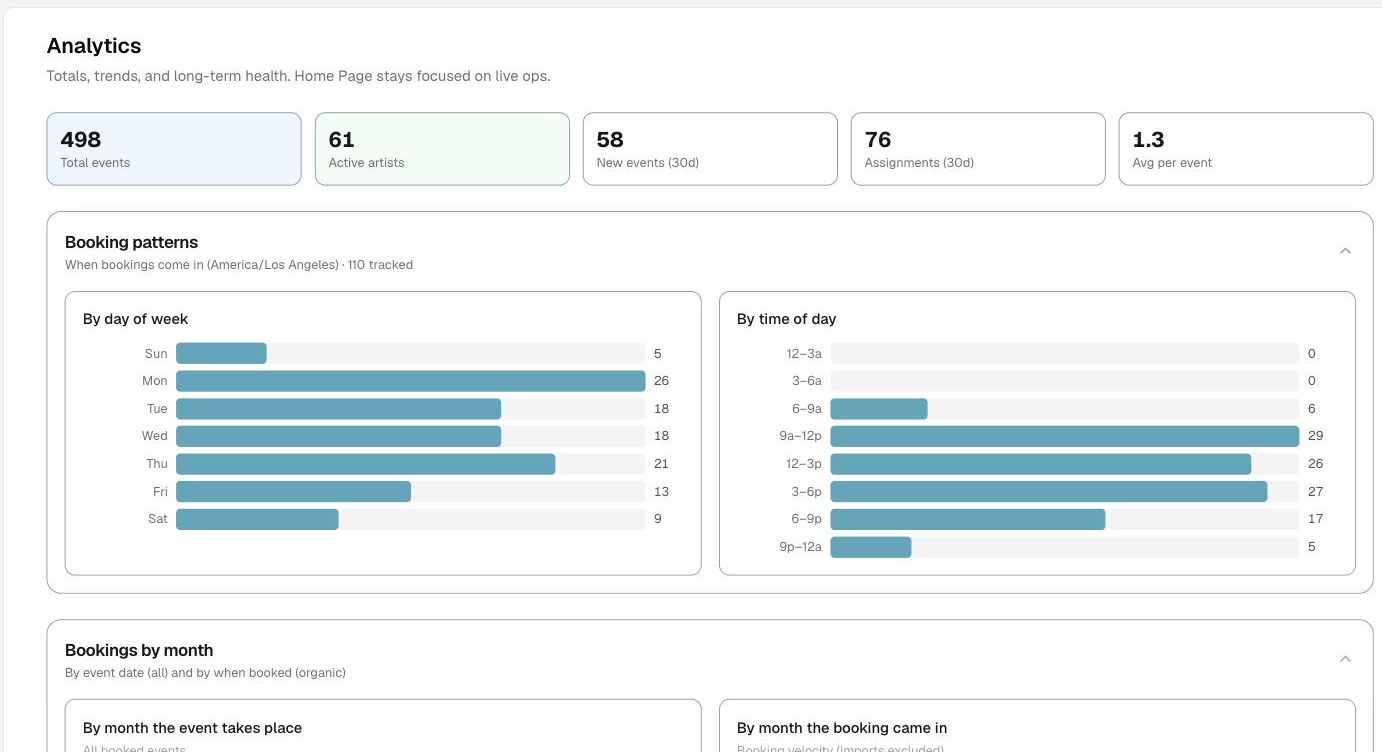
Booking patterns, most-booked services, staff hours, inquiry→booked conversion, and repeat clients.
Google Calendar push
Send booked work straight to your Google Calendar with your own event template — assigned staff get the invite too.
Square invoicing
Send a booking's client details to your Square customer directory in one click — invoice-ready, no retyping.
Mission-control dashboard
Today's work, needs-attention nudges, conflict radar, and an activity feed — customizable widgets.
Recurring bookings
Standing schedules that auto-create upcoming bookings — daily, weekdays, or weekly.
Conflict radar
Color-coded warnings for double-bookings and jobs too tight to reach in time — it even weighs the drive between them.
Priority lists
Rank your preferred people per service so your best people always surface first.
Booking intake
A public form and webhook that turn new requests into bookings ready to staff.
Team & roles
Invite teammates with their own logins and control access with owner/admin/member roles.
Coming soon: direct SMS & on-site GPS check-in, and strategic intelligence.