

Check-in and Payment steps, and a booking's History
Two dropdowns on every booked job that replace the spreadsheet: where the client conversation is, whether the balance is paid, and a timeline of every change.
Under the client's name on a booking are two small dropdowns, Check-in and Payment, and a History link. Together they replace the spreadsheet you might keep for every booked job.
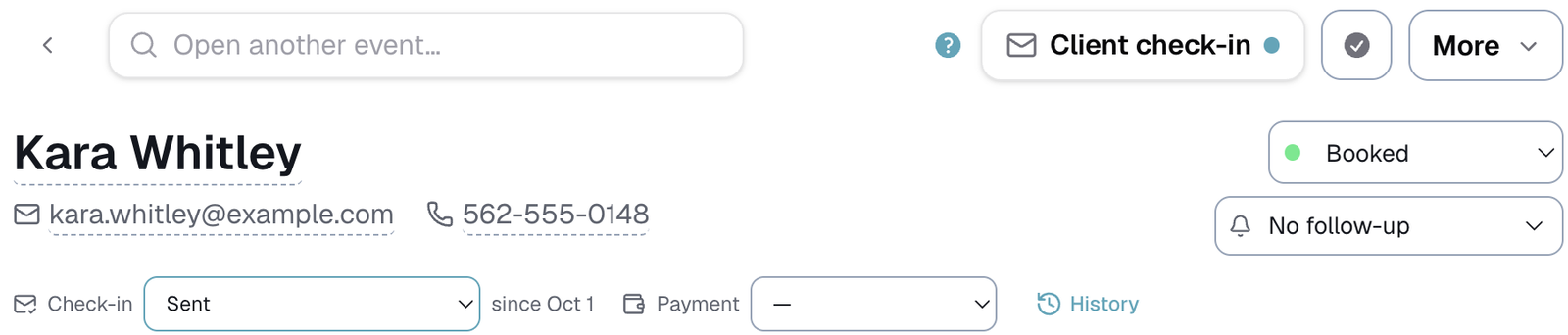
Check-in
Where the conversation with the client is up to. The starting list is:
- Sent
- Resent, no reply
- Switched to texting
- Client replied, some answers
- All answers in
- We replied back
- Follow-up email scheduled
Change it as things happen. The dropdown shows since the date it last changed.
You can rename, reorder, add or remove any step in Customize → Check-ins → Client check-ins → Check-in steps. A step ticked Still waiting on them keeps the booking on your Dashboard under Waiting on their reply until you move it on.
The Check-in dropdown shows while Client check-ins is switched on.
Payment
Whether the client has paid what they owe. The starting list is Waiting on balance, then Paid by Zelle, Venmo, credit card, check, ACH or PO.
You edit this list in Customize → Money → Payment steps. Tick Counts as paid on any step that means the money is in.
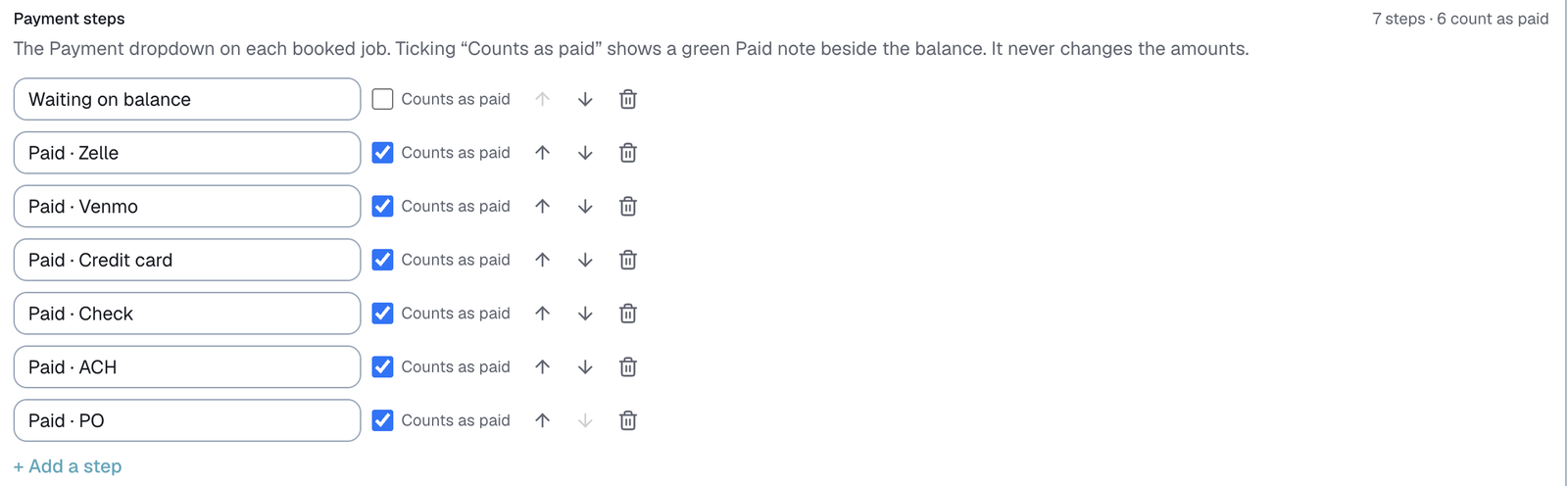
When a booking's Payment step counts as paid, a green Paid note appears beside its balance, like "✓ Paid · Zelle".
⚠️ The Paid note never changes any amounts. The total, the deposit and the balance stay exactly as you typed them, so your records still show what was actually charged.
The Payment dropdown shows while Client money is switched on.
You can also mark a balance paid straight from the Balances owed tab on the Client check-ins page, which lists every booking still owing after its check-in went out. See Balances owed.
When they show
Both dropdowns appear once a job is Booked or Completed, since that is where this part of the work starts. A booking that already has a step keeps showing it.
History: the whole timeline
Tap History to see everything that has happened to the booking, newest first, with the date, time and who did it:

- every Status change, like Status → Booked
- every Follow-up change, like Follow-up → Awaiting deposit
- every Check-in and Payment step
- every change to how the deposit was paid, like Deposit paid by → Zelle · $150
- at the bottom, when the booking arrived: through your form, added by hand, or imported
History is on every booking, whether or not client check-ins are switched on. Changes Logidex makes on its own, like moving a finished job to Completed, are not listed.
Each line keeps the wording it had when it happened. If you rename a step later, old lines still read the way they did.
Last updated