

Balances owed
Every booking whose check-in went out and whose balance isn't marked paid yet, so you can see who still owes you at a glance.
Balances owed lists every booking where a client check-in went out and the balance still isn't marked paid. It is the "who still owes us" column of your spreadsheet, kept up to date for you.
"Client" follows the word you chose in Customize → Terminology, so your screens may say something else.
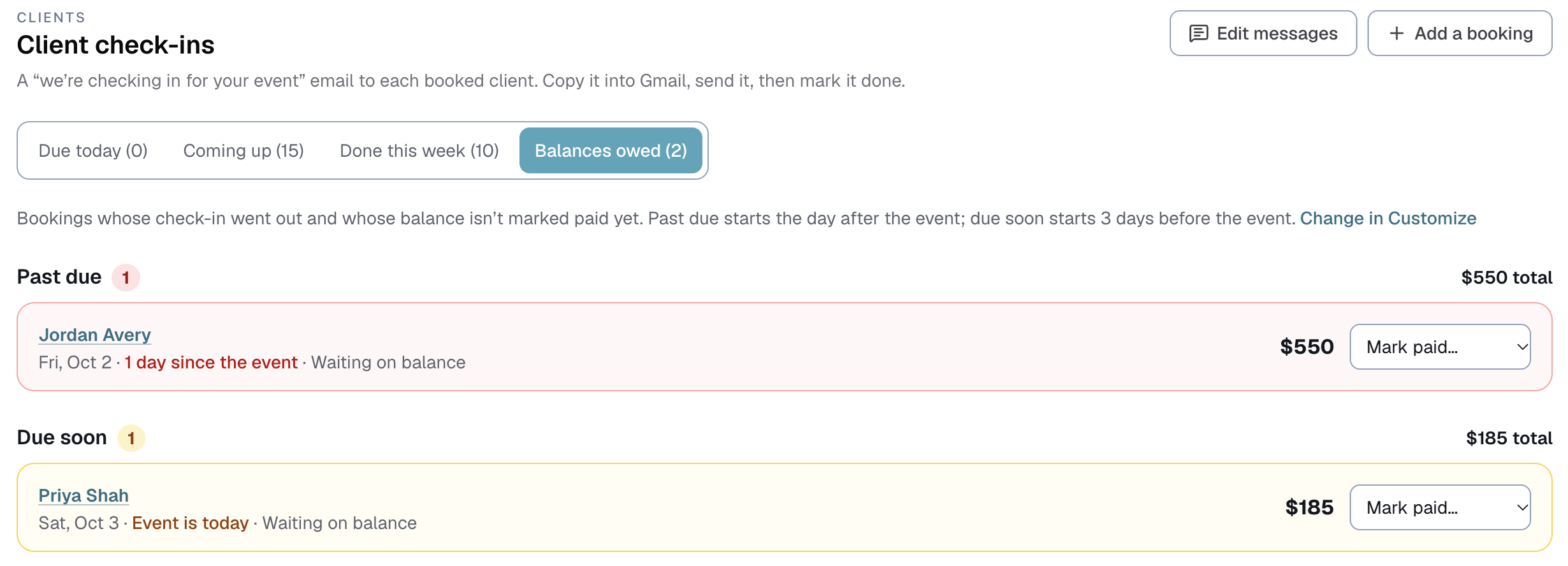
Where to find it
- Clients → Client check-ins, on the Balances owed tab.
- Dashboard: the Balances owed card.
What puts a booking on the list
All three of these:
- A client check-in went out. Marking it done on the Client check-ins page counts, and so does setting the booking's Check-in step by hand.
- Its Payment step isn't one that counts as paid.
- Its balance is more than $0. The balance is the total minus the deposit, the same figure as on the booking's money card.
Bookings that never had a check-in sent stay off. So does a booking with no total yet, because Logidex can't say what is owed.
Past due and due soon
- Past due (red) counts from the event date, like "12 days since the event". By default a balance is past due the day after the event.
- Due soon (amber) starts a few days before the event, 3 by default, and lasts until it becomes past due.
Past due shows the oldest event first, and each section shows its total.
If your invoices give some clients longer, like a PO on Net 30, those still count from the event date here, so you can see how long it has been.
Marking a balance paid
Pick a step from Mark paid… on the row. It sets the booking's Payment step, the same as doing it on the booking, and adds a line to the booking's History. The row turns teal with Undo right where it was, then leaves the list.
Mark paid only lists the steps ticked Counts as paid in Customize → Money → Payment steps.
Canceled bookings
A canceled booking stays on the list while it still shows a balance, tagged Canceled · update the total. It is a reminder to change the total to what you actually kept, like the deposit. Once you do, the balance reads $0 and it drops off.
On your Dashboard
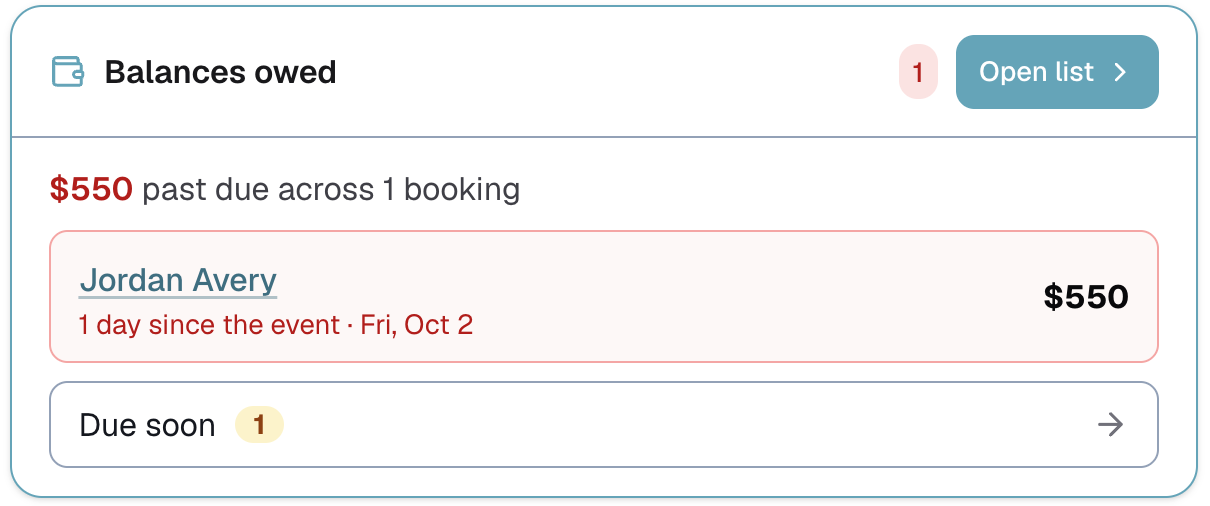
The Balances owed card shows the three bookings most past due and the total past due. Due soon is just a number, so it doesn't crowd your Dashboard. Tap it, or Open list, to see the full list.
Setting it up
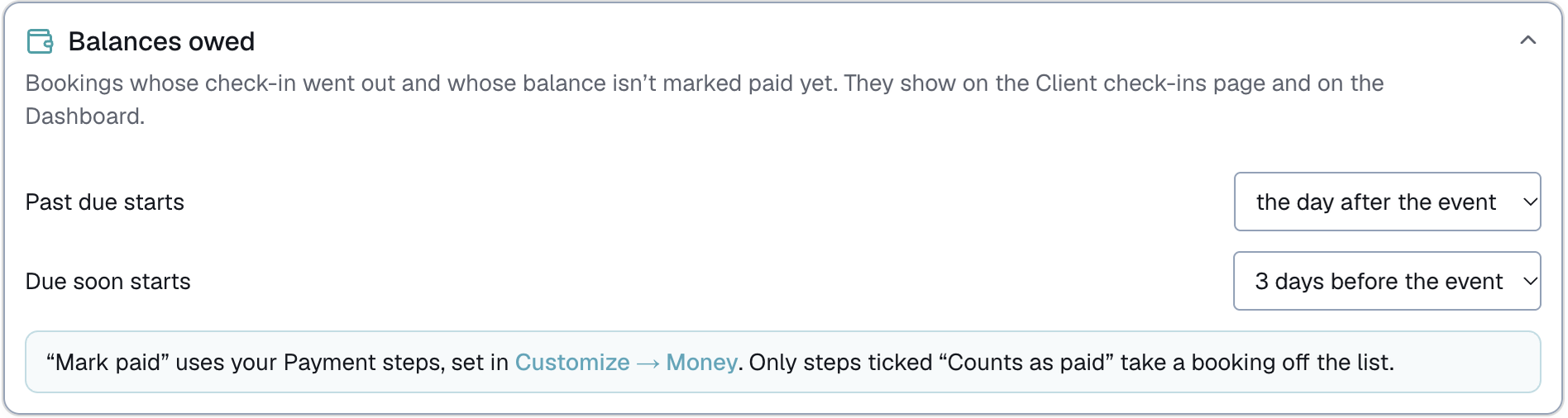
Go to Customize → Check-ins and open Balances owed:
- Past due starts can be the day of the event, the day after (the default), or up to 30 days after.
- Due soon starts can be from 1 day to a week before the event.
Balances owed needs two things switched on: Client check-ins in Customize → Check-ins, and Client money in Customize → Money. With Client money off, the tab and the Dashboard card are hidden, and the Balances owed card in Customize invites you to turn it on.
Owners and admins can see Balances owed and mark balances paid. Only the owner can change its settings.
Last updated