

The setup order that works, and why it is in that order
Four steps, and each one feeds the next. Doing them out of order means redoing work, so this explains what depends on what.
There are four things to set up, and the order is not arbitrary. Each one feeds the next, so doing them out of sequence means going back and redoing work.
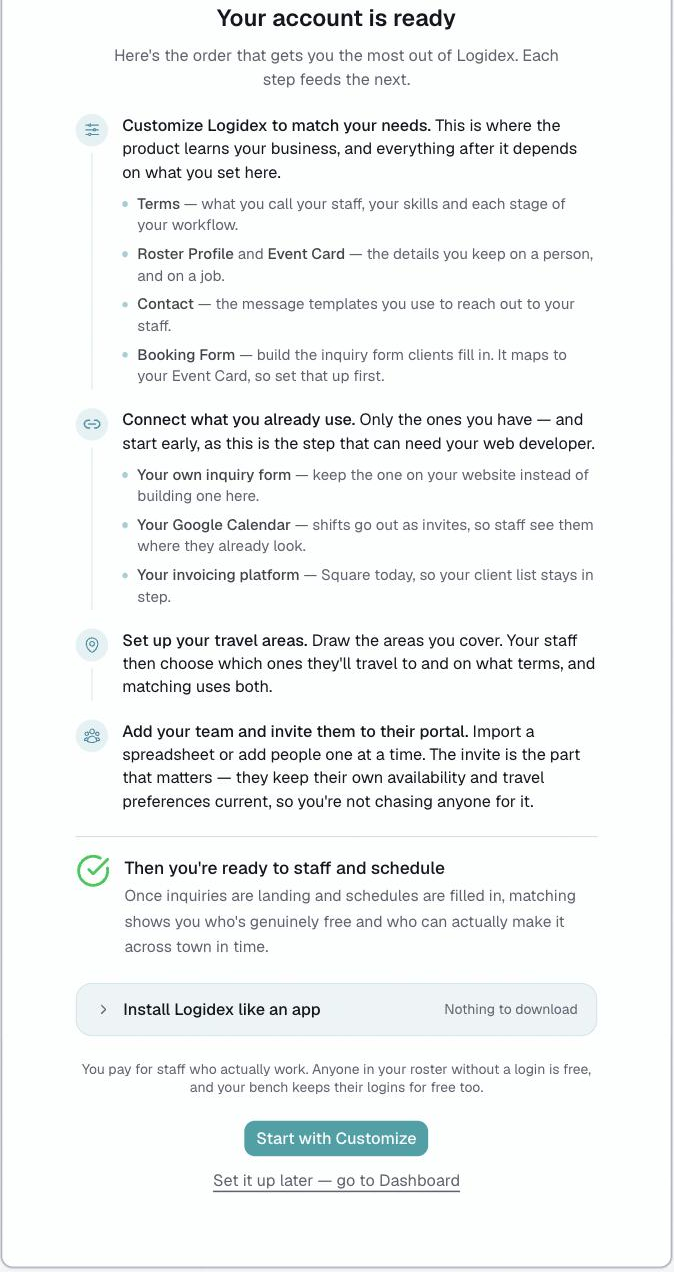
This is the same order shown on the last screen of signup.
The four steps
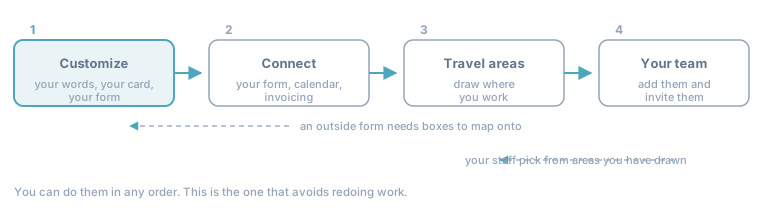
- Customize Logidex to match your business — your terminology and workflow, the skills or services your matching is based on, the profile templates for both the event/job and your team, and your message templates for contacting your staff and a custom inquiry form if you don’t have your own already.
- Connect what you already use — your existing inquiry form, Google Calendar, Square invoicing (if you use it).
- Set up your travel areas — draw where you work and areas you service.
- Add your team and invite them — import a spreadsheet or add people one at a time.
Then you are ready to staff and schedule.
Why this order
Customize is first because everything reads from it. Your services are defined there, and your Logidex form's service dropdown is built from that list. Your Event Card defines what you keep on a job, and both your Logidex form and any outside form map to those exact fields. Build the form before the card and you are remapping it afterwards.
Connecting outside tools is second because it is the step with somebody else in it. It can need your web developer, a login to your website builder, or a support thread with a form company. Start it early and let it run in the background while you do the rest. There is also nothing for an outside form to map to until your Event Card exists.
Travel areas come before your team. Your staff opt into the areas you have drawn. Invite them first and you are asking them to choose from an empty map.
Your team is last because by then there is something worth them logging into: real services to be tagged with, real areas to choose from, and a card that holds the right details.
How long it takes
It depends entirely on the size of your roster, and anyone who gives you a number is guessing. What is true is that the work does not grow much as the roster does, because a roster arrives as one spreadsheet whether it holds six people or sixty.
If you skipped it at signup
Nothing is lost. Go to Settings → Customize and start at step 1. The setup progress is shown down the left of that screen as you go.
Last updated