

Skills and skill levels
Your list of services, the level each person works at, and why a skill someone adds for themselves starts at Beginner.
Skills are the services your business offers. A shift asks for one, and only people who have it are suggested.
Your list of skills
Customize → Skills holds every service you offer, and the names of your levels.
- Renaming a skill changes it everywhere at once: every profile, every shift, every booking.
- The levels are Open to learning, Beginner, Intermediate and Professional. You can rename them to the words your business uses.
⭐ Two different jobs are two different skills. If a lead and an assistant do different work, make them separate skills rather than one skill at two levels. The skill a shift asks for is what decides who is suggested, so that is where the line belongs.
Giving someone a skill
Open their profile and go to the Skills tab. Pick the skill and its level, then press Add Skill. Change a level at any time from the dropdown beside it.
The order of their skills is their order of preference. Drag to change it.
Skills people add for themselves
People with a login can add skills from their portal, but they cannot choose the level. A skill they add lands at Beginner, with an amber dot beside it that means needs grading. Skills brought in by an import start the same way.
Your dashboard shows Skill levels to grade while any are waiting. Setting the level clears the dot.
The Level filter in Match & assign
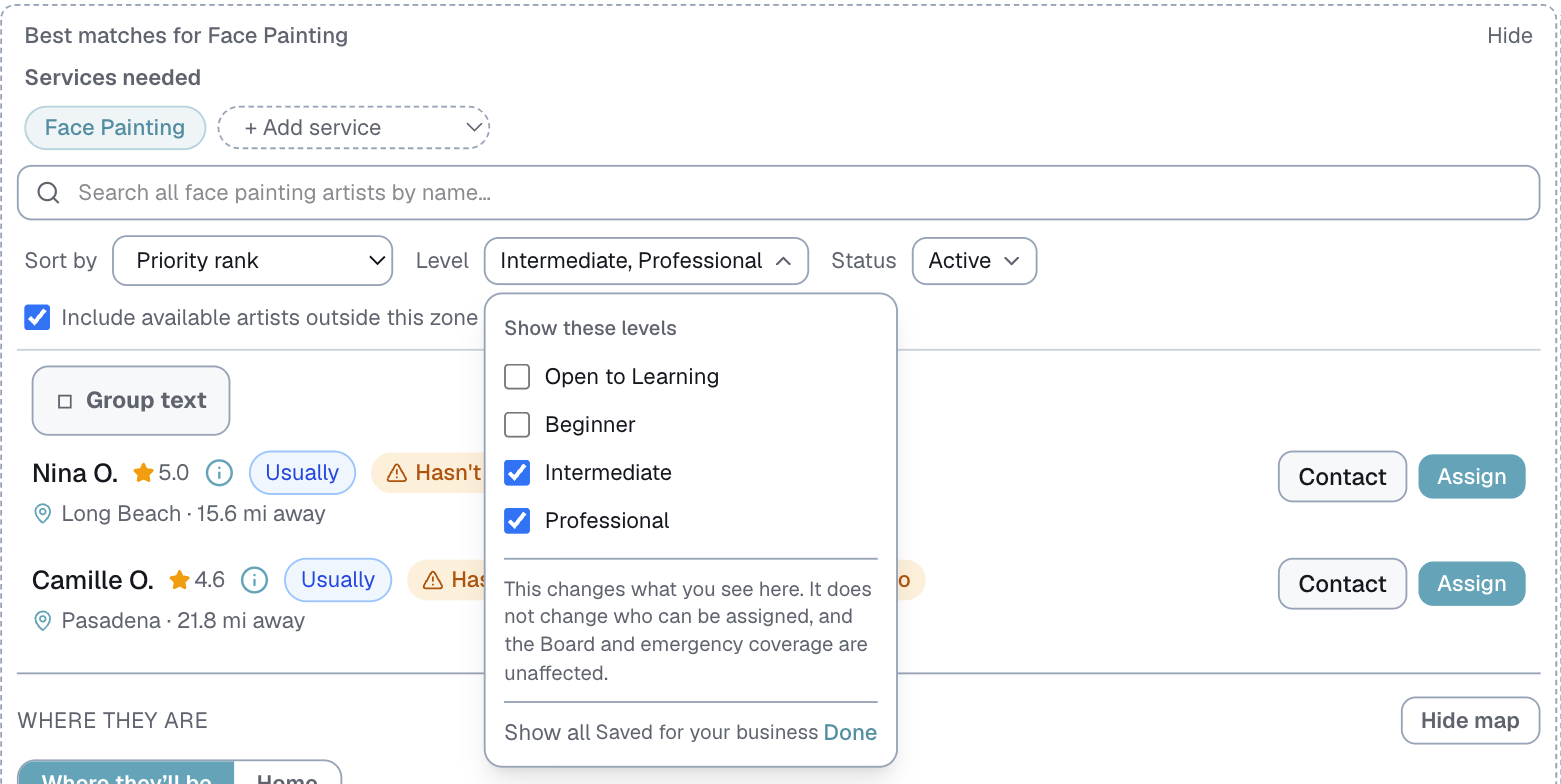
Match & assign has a Level filter. Pick one or more levels and it remembers them for next time.
⭐ This is how you keep someone off a service without an argument. If you remove a skill and they add it back, it comes back at Beginner. With the filter set to Intermediate and Professional, they never reach your shortlist, however many times they add it.
⚠️ The filter only changes what you see in Match & assign. The Board, Suggest and emergency coverage still see everyone who has the skill.
Last updated