

Signing in with Google
You can sign in with a Google account. It is separate from connecting your Google Calendar, and the difference matters.
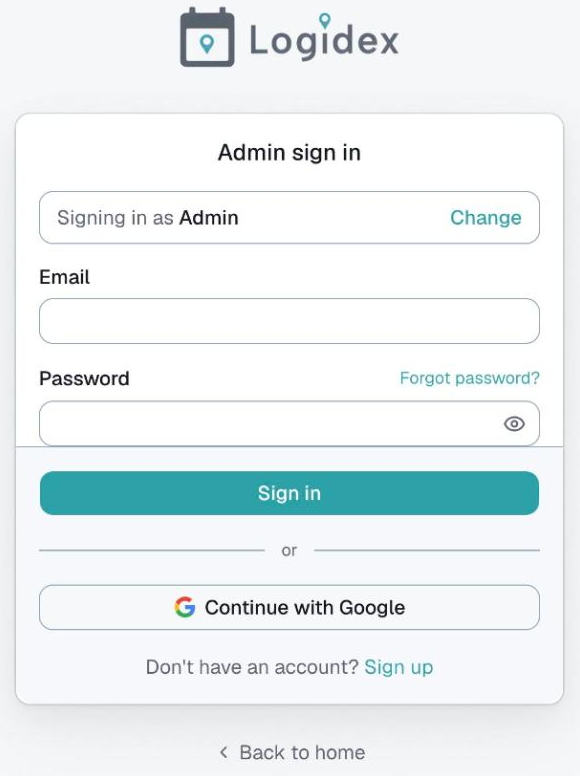
On the sign-in page you can use Continue with Google instead of a password. It works with any Google account — a Gmail address, or a work address on Google Workspace.
What it does
It signs you in. That is all. Logidex asks Google only for your name and email address, and nothing else.
Because it asks for so little, there is no warning screen, no approval to wait for, and no limit on how many people can use it.
It is not the same as connecting your calendar
This trips people up, so it is worth being clear.
- Continue with Google is a way to sign in.
- Connect Google Calendar is a separate thing you do later, from inside Logidex, so that shifts go out as calendar invites.
They are asked for at different moments and grant different things. Signing in with Google does not give Logidex any access to your calendar.
If you signed up with a password and want to use Google instead
Use the same email address. If your Logidex account is you@example.com and your Google account is you@example.com, signing in with Google lands you in the same account.
If your Google address is different from the one your account was created with, it will not match, and Google will make you a second, empty account.
If it does not work
Check that the Google account you picked uses the same email as your Logidex account. That is nearly always the answer.
If you still cannot get in, use your email and password instead — that always works — and email support@logidexhq.com.
Last updated