

Deposit, balance and the invoice link
Record a deposit and see the balance worked out for you, note how the deposit was paid, and keep the invoice link on the booking.
If you take a deposit, the money card on each booking can hold it and work out what the client still owes.
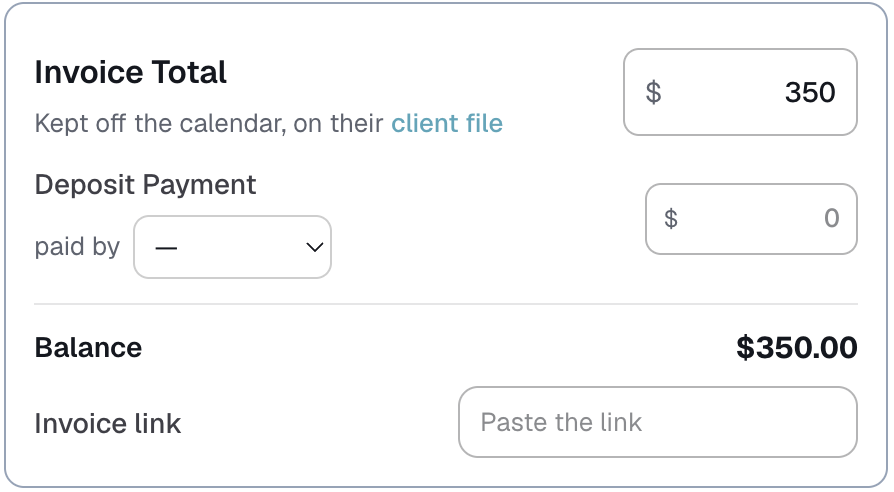
On a booking
- Invoice Total is the full amount. You may have renamed it in Customize → Money.
- Deposit Payment is what has been paid up front. Left blank, it counts as $0.
- paid by records how the deposit came in.
- Balance is worked out for you: the total minus the deposit.
- Invoice link is where you paste the link you send the client.
If the total is blank, the balance doesn't guess. It asks you to add the total first, rather than showing $0 and telling you nothing is owed.
A deposit is part of the total, never added on top of it. The Money page and your reports still count the total only.
On the client's file
Each booking in the client's Booking history shows the same total, deposit and balance, beside the staff pay and what was left after it.
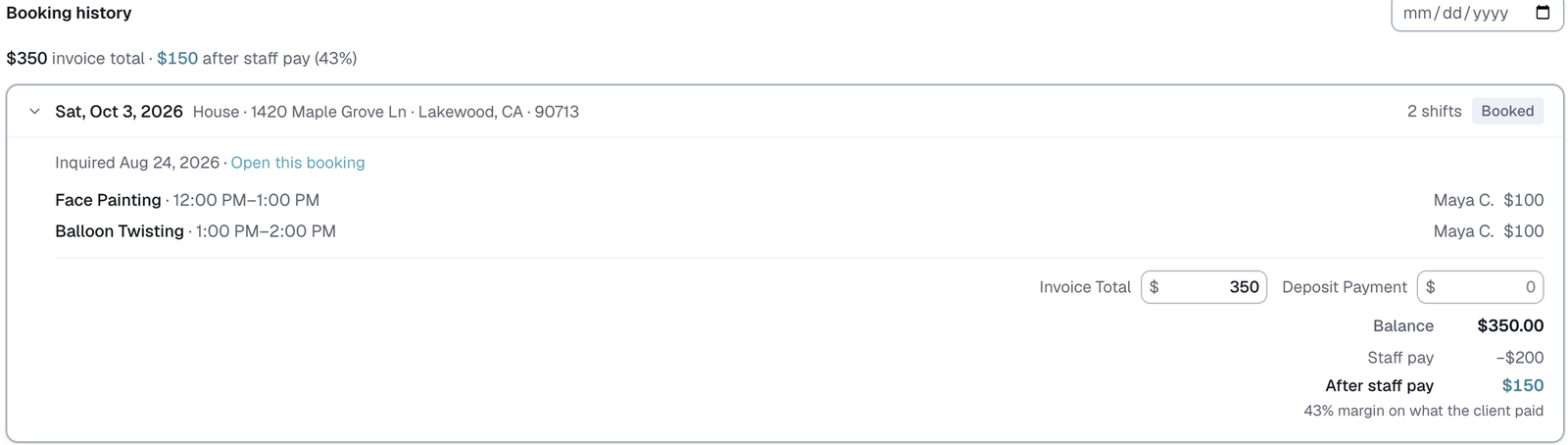
Change an amount in either place and the other follows.
Turning it on, and naming it
Go to Customize → Money. Under Client money:
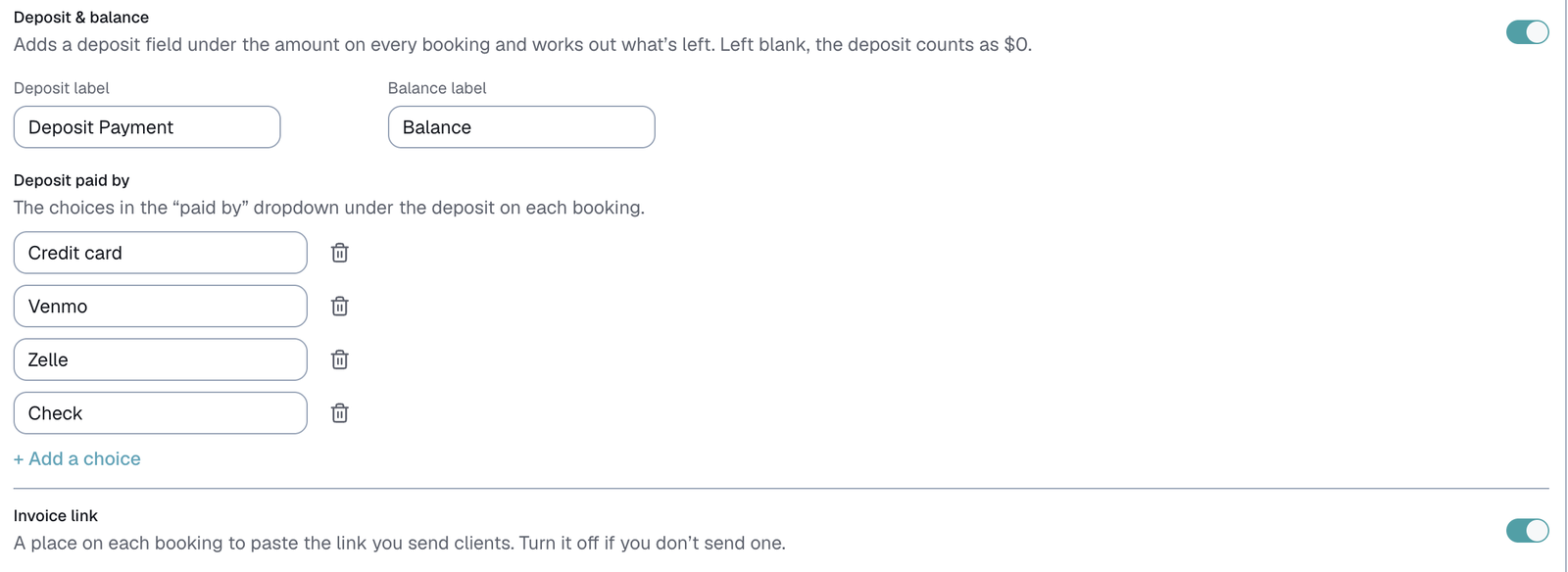
- Deposit & balance has its own switch. You can rename the two labels, so they read the way your invoices do.
- Deposit paid by is the list of choices in the paid by dropdown. Credit card, Venmo, Zelle and Check to start. Add your own, or remove any. If you remove a choice that a booking already uses, that booking shows "Removed choice" rather than a blank.
- Invoice link has its own switch too. Turn it off if you don't send one.
Both only show while Client money is switched on.
How they connect to client check-ins
Your check-in emails can print both:
- Balance fills in what that client still owes. Once the booking's Payment step is set to a paid one, it prints $0, even though the money card still shows the amounts you typed. Once the booking's Payment step is set to a paid one, it prints $0.00, even though the money card still shows the amounts you typed.
- InvoiceLink fills in that booking's link.
Once a check-in has gone out, a booking whose balance isn't marked paid shows on Balances owed, on the Client check-ins page and your Dashboard. See Balances owed.
If a message uses InvoiceLink and the booking's link is blank, the Client check-ins page warns you before you send.
Marking it paid
When the balance comes in, set the booking's Payment step to a paid one. A green Paid note shows beside the balance. The amounts never change. See "Check-in and Payment steps, and a booking's History".
History
Choosing or changing paid by adds a line to the booking's History, like "Deposit paid by → Zelle · $150".
Last updated