

Canceling a booking
What changes when you set a booking to Cancelled, what stays the same, and how to take its invites off Google Calendar.
To cancel a booking, open it and change its status to Cancelled. That is the only thing that changes. Logidex does not delete anything or change any amounts.
What stays the same
- The money. The invoice total, the deposit and every shift's pay stay exactly as they are. If your business keeps a deposit or pays artists a cancellation fee, change the amounts to what was actually charged and paid, and they count on the Money page, the pay report and the client's file.
- The client. They stay on your Clients list, and the Canceled column shows how many of their bookings were canceled. The booking stays in their Booking history, marked Cancelled.
- The shifts. Everyone stays listed on the booking, so you can see who was booked.
What changes
- Your artists are free again. A canceled job no longer counts as a conflict, so Match & assign and the conflict checks treat those artists as free for that time.
- No more "not sent to Google" reminders for that booking.
- No more client check-ins. Only booked jobs come up for a check-in, so a canceled one won't.
- A reminder to fix the total. If a client check-in already went out and the booking still shows a balance, it stays on Balances owed tagged Canceled · update the total. Change the total to what you kept, like the deposit, and it drops off. See Balances owed.
Taking it off Google Calendar
If the booking was ever sent to Google Calendar, Logidex asks right away: Cancel the Google Calendar invites too? It never does this on its own.
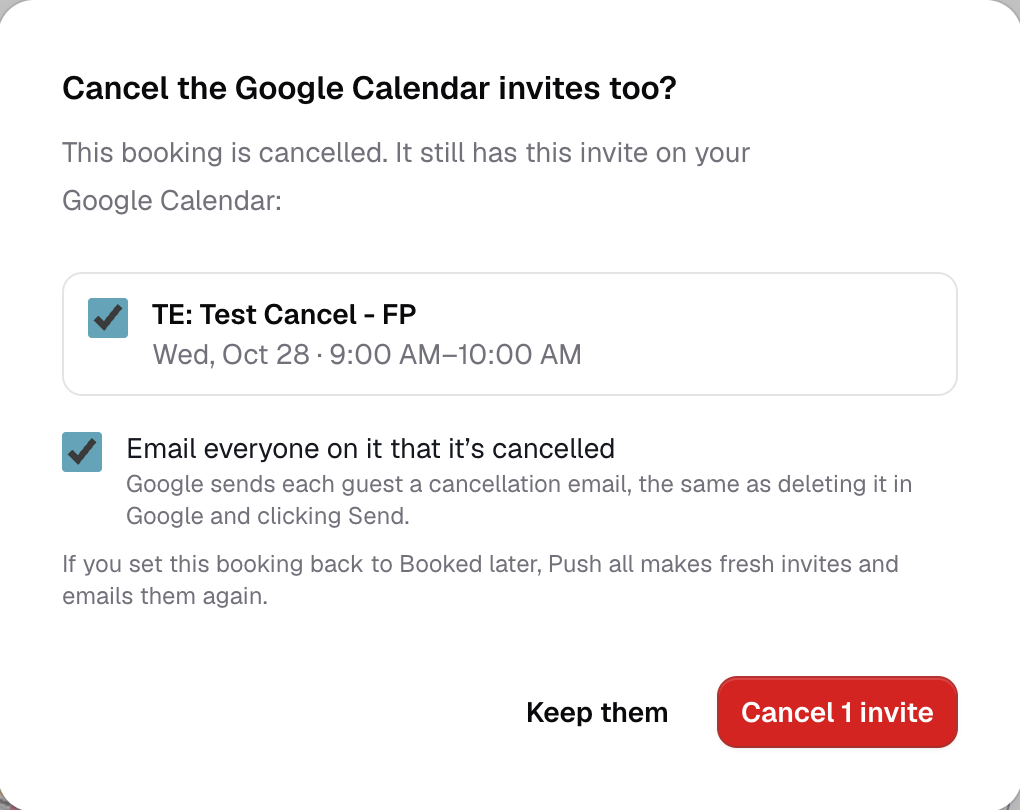
- Each invite from this booking is listed and ticked. Untick any you want to keep.
- Leave Email everyone ticked to have Google send each guest a cancellation email, the same as deleting the event in Google and clicking Send. Untick it to remove the invites quietly.
- Tap Cancel 2 invites (the number matches how many are ticked), or Keep them to leave everything on the calendar.
If Google can't be reached, the popup says so and offers Try again.
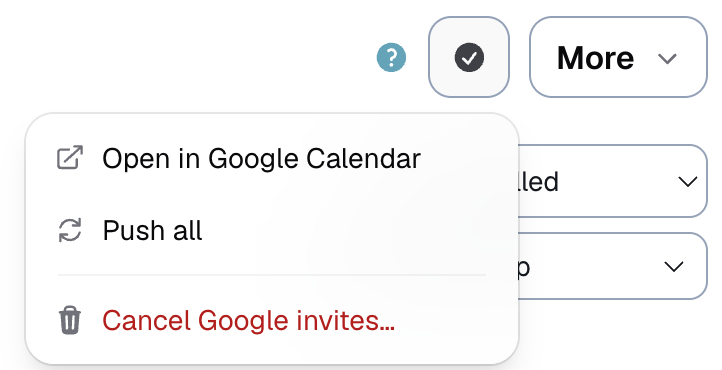
Changed your mind, or chose Keep them? On a canceled booking, the calendar button in the top bar has Cancel Google invites…, which opens the same popup.
If it comes back
Set the status back to Booked. If you canceled its invites, press Push all to Google and Logidex makes fresh ones and emails everyone on them.
Last updated