

Sending shifts to Google Calendar
How Push all works, why pressing it twice is safe, and what Update does and does not overwrite.
Connect your calendar and each shift goes out as a real invite, so your team sees their work where they already look.
Connect it in Settings → Google Calendar.
One box, one invite
On a booking, the Service shifts section groups shifts into boxes. Each box is one calendar invite.
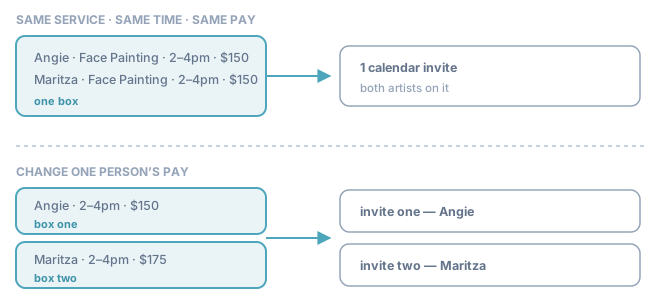
Two people on the same service, same time, same pay share a box — and share one invite. Change one person's pay and the box splits in front of you, because the invite splits too.
Push all to Google
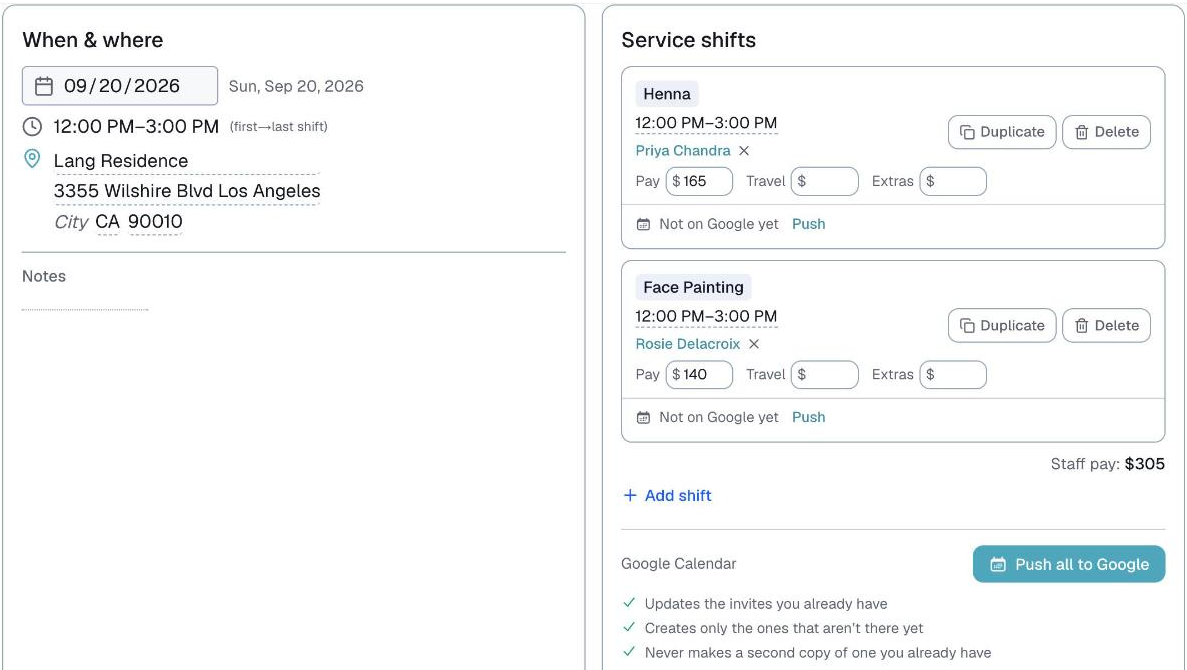
One button. It does three things, and this is the part worth trusting:
- It updates the invites that already exist
- It creates only the ones that are missing
- It never makes a second copy
Update fixes everything, not just people
If you change a time, a venue or a note, the invite goes out of date and the box says so — "Time changed here", "New artist", "Missing in Google". Pressing Update corrects it on the same invite.
It does not email everyone by default
A change to the details is applied silently. Everyone's calendar updates, but nobody gets an email about it — because most changes three weeks out are not worth an email.
Two exceptions:
- Adding or removing someone always emails. A person newly put on a job has to be told.
- There is an unticked box, "Also email everyone about this change", for when a detail change genuinely matters.
What survives, and what does not
⭐ A line you leave blank in Logidex but fill in inside Google is kept. If you have a Parking heading with nothing in it here and you type the details straight into the calendar entry, Update will not wipe them. The moment you fill that field in on the booking, Logidex takes over that line.
⚠️ A title you edited by hand in Google is replaced. There is no way to merge two versions of a title, so Logidex's version wins.
When a booking is canceled
Setting a booking to Cancelled never touches Google on its own. If the booking was ever sent to Google, Logidex asks first: Cancel the Google Calendar invites too? Tick the invites to remove, choose whether Google emails everyone on them, or keep them all.
If you keep them and change your mind later, the calendar button on the canceled booking has Cancel Google invites…. See "Canceling a booking" for the details.
Last updated